72-900-06 Rev. F
Page 19 of 38
4.6.7 Display Settings
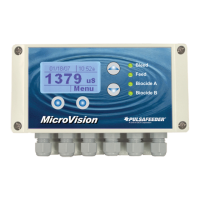
This menu is for setting how the controller display appears.
4.6.7.1 Brightness
Select this menu to set how bright the background is, Low, Medium, or High.
4.6.7.2 Display Line text
Select this menu to change what text is displayed on the two lines of the main home screen
display. (Pulsafeeder and MicroVision EX are the default)
4.6.7.3 Home Screen Display Scroll
Select this menu to set the speed that the home screen scrolls from displaying various
values, Low (30 seconds), Medium (10 seconds), or High (5 seconds), or OFF for no
scrolling of the main menu.
4.6.7.4 Display Alarm
Select this menu to set the size of the alarm messages that are displayed in the home
screen when they occur.
4.6.7.5 Display Dampener
The Display Dampener setting sets how often the actual conductivity reading is updated on
the Home Screen. This results in dampening of the controller response to sudden changes
in conductivity.
The controller takes a conductivity reading once every second. Increasing this value
above one second causes the controller to average the readings, hence, slowing down
the control functions.
4.6.8 Password Setting
The Controller has two Security Access Codes, each with different system privileges - an
Administrator and a User. An Administrator can access all functions of the controller. A
User level can only access those items selected by the administrator. A password level is
not required for access to the home menu.
Both passwords are active when Administrator level password is set. Conversely, both
passwords are inactive when the Administrator level password is set to 000000. Each
password consists of a six (6) digit numerical code.
The Administrator configures the following parameters to restrict User access to the
controller systems
The following is an example of the Security menu options:
Exit Home Screen = Limits access to only the Home Screen.
Relay HOA = Allows access to the Relay HOA menu.
Configure Menu = Allows access to the Configure menu.
Settings Menu = Allows access to the Settings menu.
Timer Menu = Allows access to the Timers menu.



 To Next Page