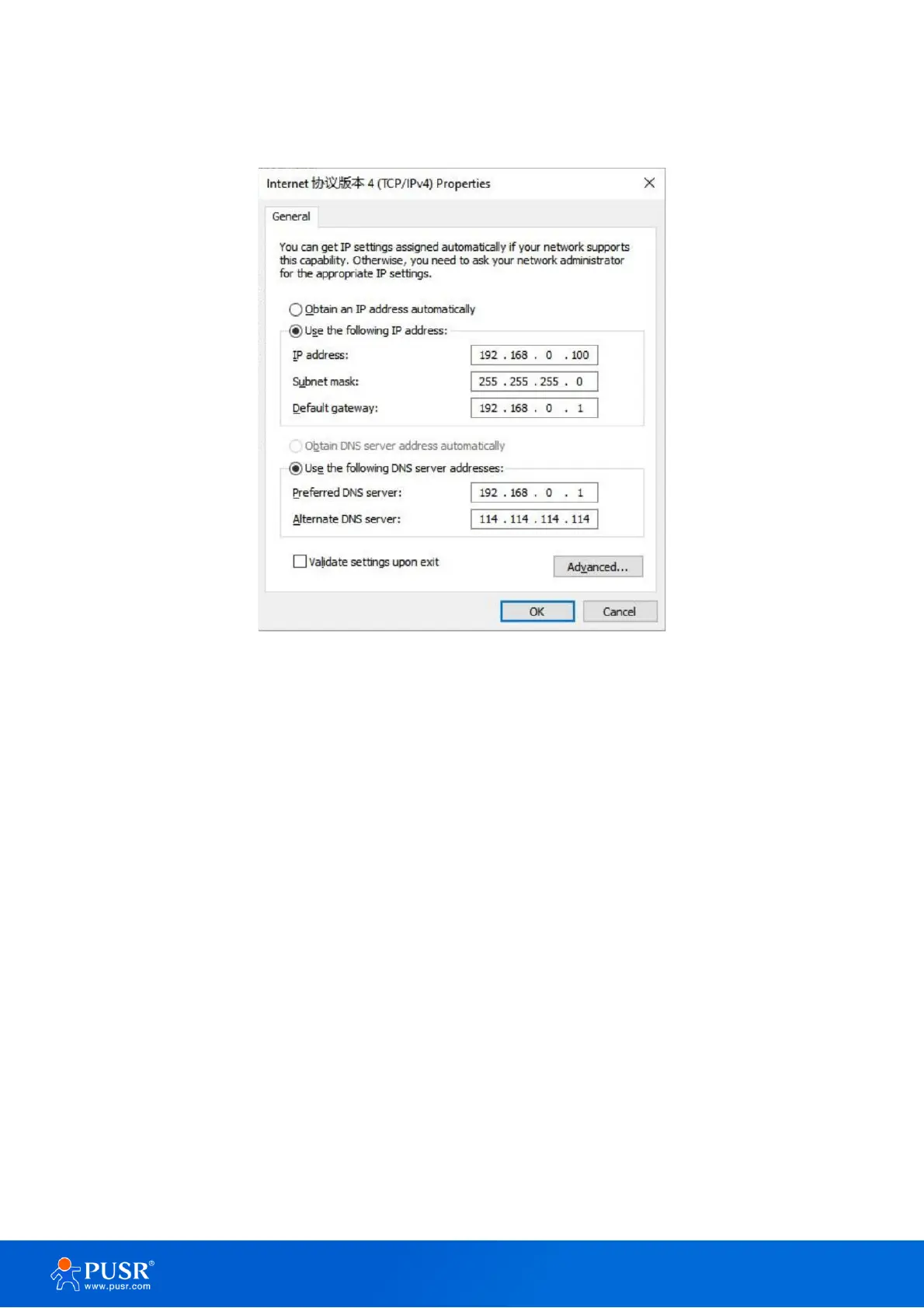
Windows system operation page is shown in the following figure. you can access the Web page of the USR-
TCP232-30X series serial server through browser as mentioned above.
Figure 12. IP setting of PC
2.2.4. Data transmission test
Run the test software on the PC, set the protocol as TCP Server, local IP keep the same with the remote IP of
30x device, local host port keeps the same with the remote port of 30x device. After the TCP connection is
established, users can check the link indicator, it will keep steady on.
In this test, we use the default serial port parameters (115200, N, 8, 1) to test. Users can also to modify the
baud rate, data bit and other parameters of the serial port via webpage or config software as needed.
The following picture shows an example of parameters setting to test transparent transmission.



 To Next Page