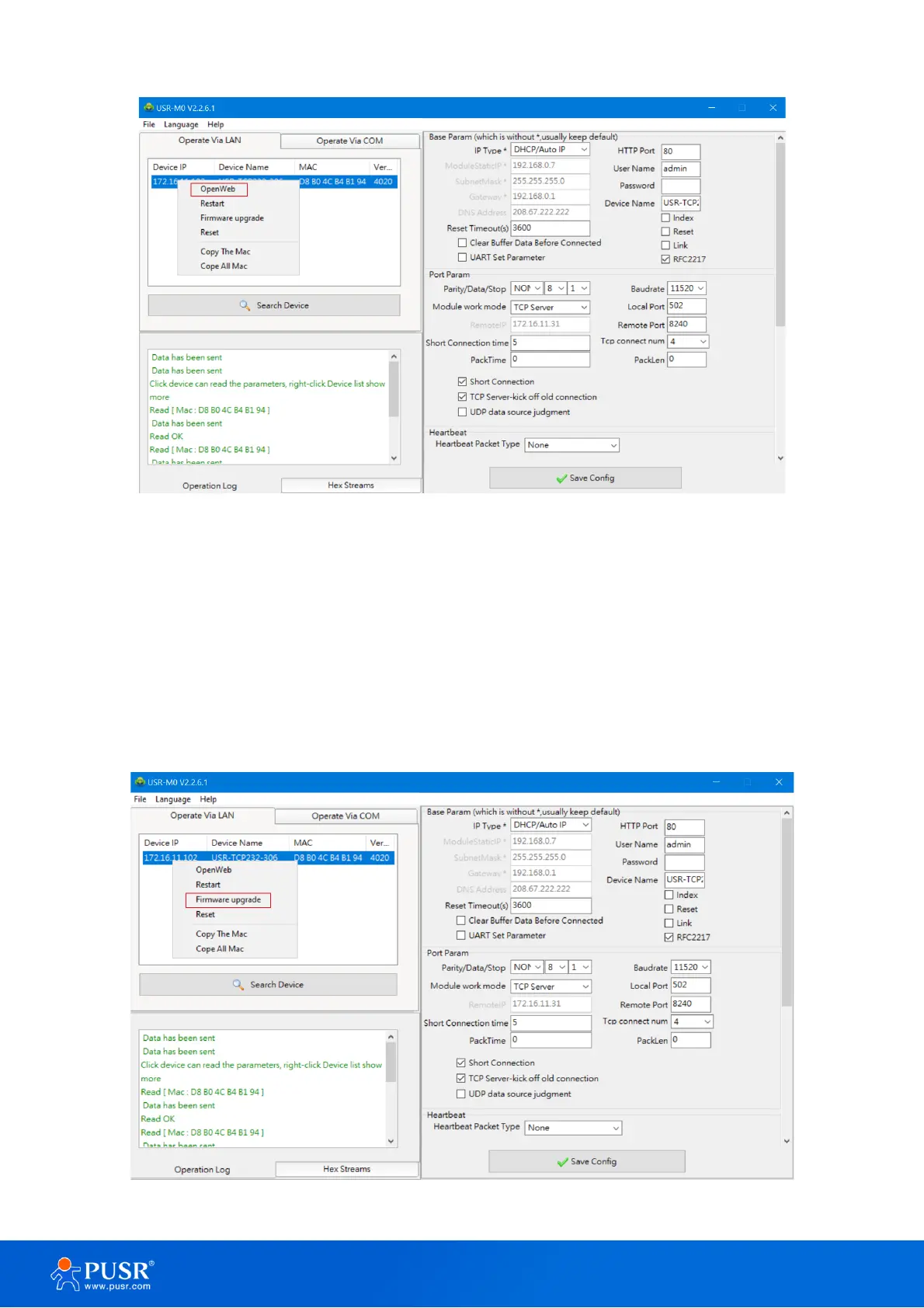
Figure 22. Open web server via config software
3.2.4. Firmware upgrade
USR IoT continually upgrades its firmware to add new features and optimize performance. Please contact
the sales to obtain the latest version of the firmware. Users can upgrade the firmware by themselves. When
upgrading firmware, the 30X device must be in the same LAN network with PC.
3. Right-click a desired device to display the settings menu,
4. Select Firmware upgrade
Figure 23. Firmware upgrade



 To Next Page