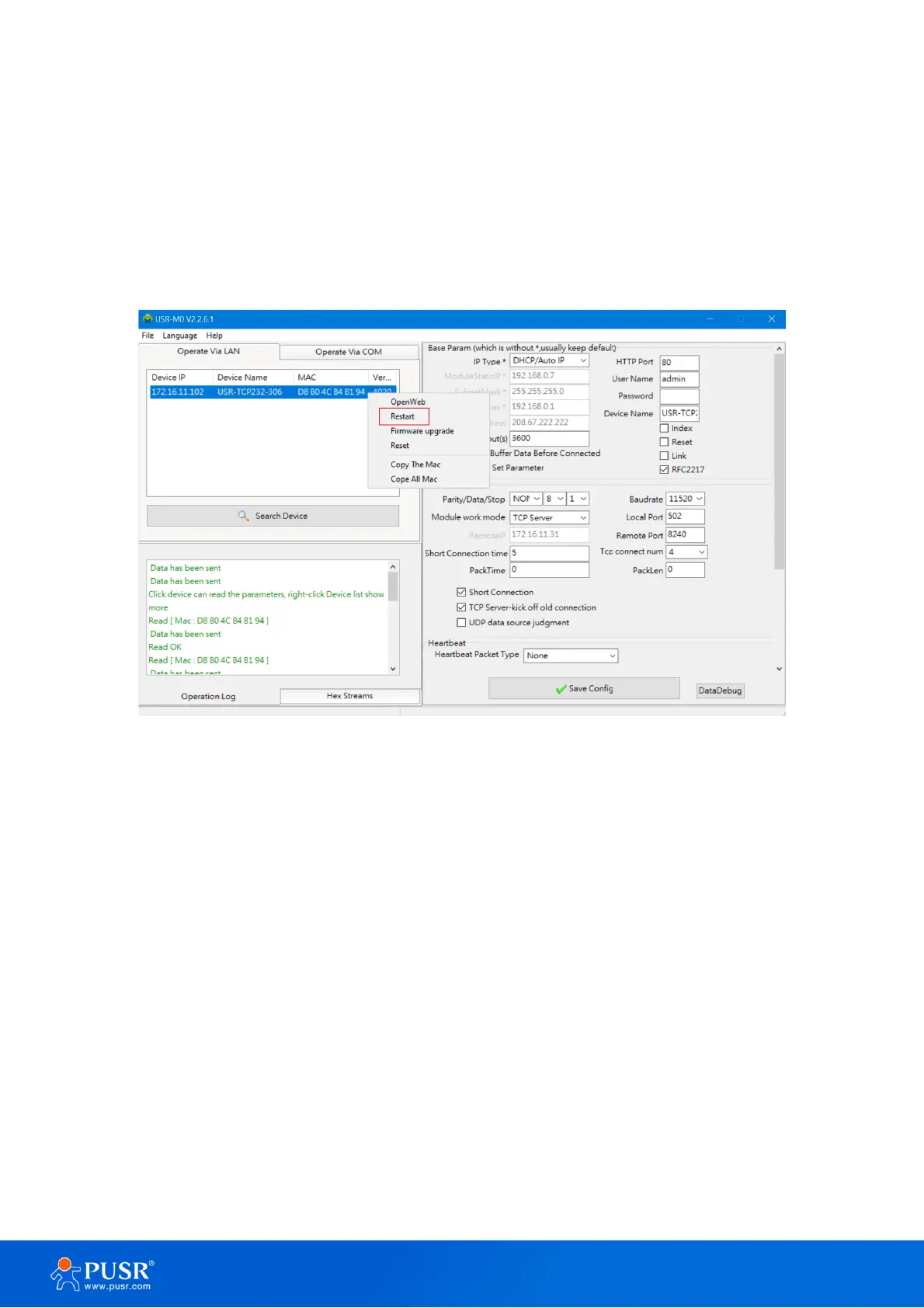
3.2.5. Restart the device
This function is available to allow you to reset the serial device server. The function disconnects both the
ethernet and serial connections. The function also allows the serial device server to save new configuration
settings to flash memory. To reset the device:
5. Right-click a desired device to display the settings menu,
6. Select Restart
Figure 24. Restart the device
3.2.6. Restore to factory default settings
The configuration utility provides the function to restore the serial device server to factory default settings. If
you really want to restore the serial device sever to factory default settings, please click reset button to continue.
1. Right-click a desired device to display the settings menu,
2. Select Reset



 To Next Page