USR-TCP232-30x Series User Manual
no data within the setting time, the connection will be automatically disconnected to
save server resources.
The default time is 3 seconds. Range: 2~255 s.
TCP Server-kick off
old connection
When the connection exceeds the maximum number (default is 4), actively kick out
the oldest connection (first in first kick out).
Buffer Data Before
Connected
Click the option to enable serial buffer. By default, TCP232-30X will empty its serial
buffer when a new TCP connection is established. This means that the TCP application
will not receive buffered serial data during a TCP link breakage. To keep the serial data
when there is no TCP connection and send out the buffered serial data immediately
after a TCP connection is established, you can disable this option.
See more information in Chapter 5
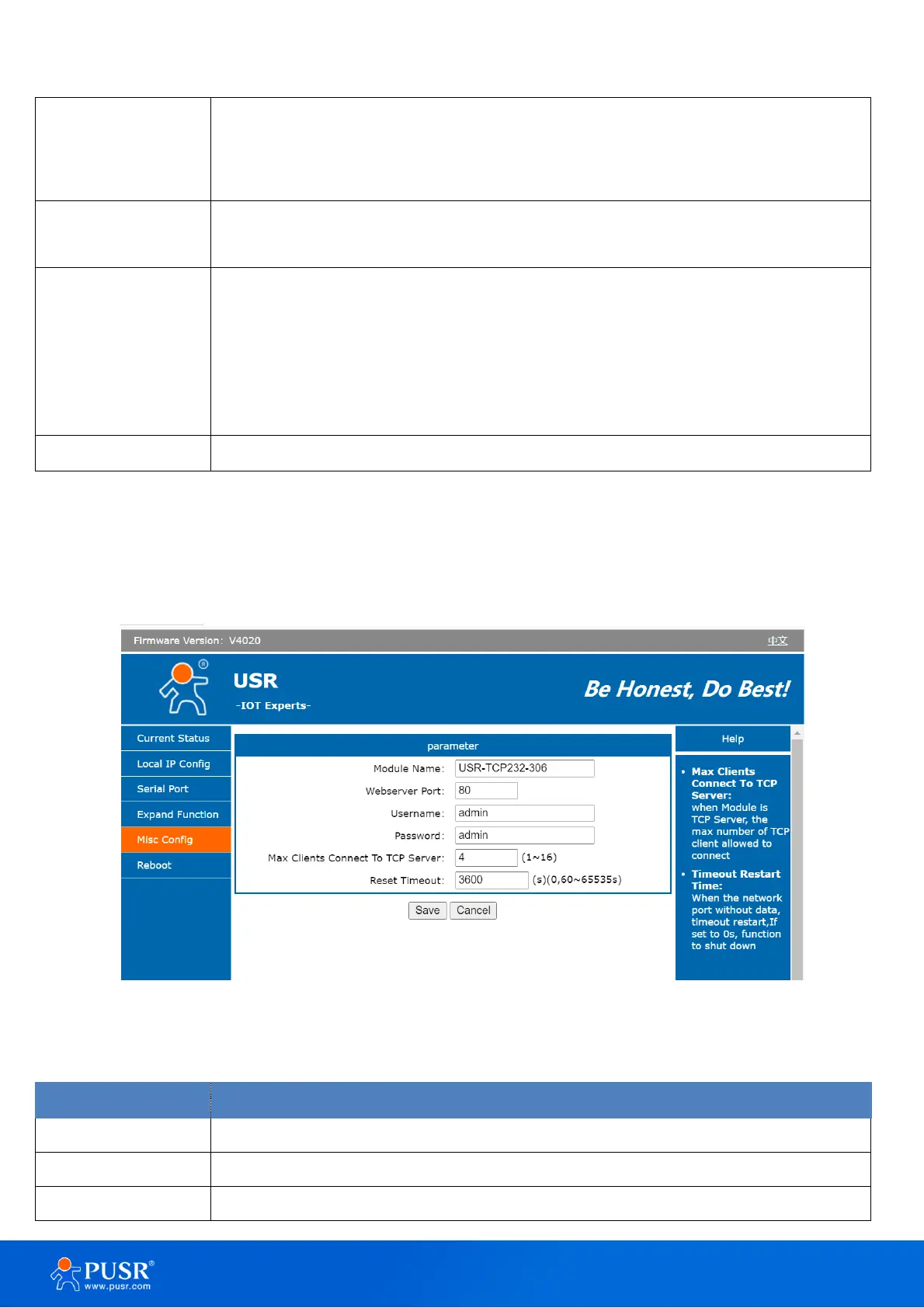
3.1.5. Miscellaneous settings
This configuration tab includes several system level settings, such as device name, system log, username,
and password. Most of these settings are optional.
Figure 19. Settings of miscellaneous function
Table 10. Detail description of miscellaneous function
The name of the device, up to 5 characters, can’t be null
Webserver listen port NO. The default is 80. Range 1-65535
The username of web console and can be modified. up to 5 characters, can’t be



 To Next Page