EasyManua.ls Logo

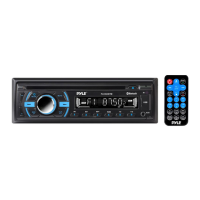
Pyle PLCD43BTM - User Manual

Pyle PLCD43BTM
20 pages
Print Icon
To Next Page IconTo Next Page
Loading...

Other manuals for Pyle PLCD43BTM

Questions and Answers

  • J
    Jillian HutchinsonSep 12, 2025
    Why does my Pyle Stereo Receiver have no radio reception?
    • D
      Derek ChoiSep 12, 2025
      If your Pyle Stereo Receiver is not picking up radio signals, the antenna cable might not be properly connected. Make sure the antenna cable is firmly inserted into the antenna socket on the radio player.
  • S
    Sandra CookSep 13, 2025
    What to do if the operation keys don't work on my Pyle Stereo Receiver?
    • J
      Jonathan MitchellSep 13, 2025
      If the operation keys on your Pyle Stereo Receiver aren't working, it could be due to noise affecting the built-in microcomputer. Try pressing the RESET button to restore the program. Another possibility is that the front panel isn't properly installed; make sure it's securely in place.
  • R
    Ryan HendricksSep 15, 2025
    Why can't I load or eject discs from my Pyle Stereo Receiver?
    • M
      Matthew CarrSep 16, 2025
      If your Pyle Stereo Receiver won’t load or eject discs, there might be several reasons. First, if there's already a CD inside, remove it before inserting a new one. Ensure you're inserting the CD with the label facing upward. If the CD is dirty or scratched, clean it or try a new one. If the car's interior is too hot, allow it to cool down. Finally, if condensation has formed, leave the player off for about an hour before trying again.

Summary

PRECAUTIONS

Precautions & Warnings

General safety warnings and precautions for unit operation and installation.

INSTALLATION

Installation Process

Step-by-step guide for physically installing the car radio unit into the dashboard.

Wiring Connections

Diagram and explanation of how to connect the wiring harness for proper operation.

GENERAL OPERATION

Unit Power, Volume, and Clock

Powering on/off, volume adjustment, and clock setting procedures.

Menu Navigation and Source Selection

Navigating menus, adjusting settings, and switching audio sources (Radio, BT, CD, USB, AUX).

RADIO OPERATION

DISC;USB OPERATION

BLUETOOTH OPERATION

Pairing and Connecting

Steps to pair a mobile phone with the car audio system via Bluetooth.

REMOTE CONTROL

SPECIFICATIONS

Technical Specifications

Detailed technical specifications of the car stereo, including power, compatibility, and consumption.

TROUBLESHOOTING

Troubleshooting Common Issues

A guide to diagnose and solve common problems with the unit, such as no power or sound skips.

Pyle PLCD43BTM Specifications

General IconGeneral
BluetoothYes
Radio TunerAM/FM
EqualizerYes
TouchscreenYes
NavigationNo
Rear Camera InputYes
USB PortYes
SD Card SlotYes
Resolution480 x 272 pixels
Built-in MicrophoneYes
Remote ControlYes
Media PlaybackMP3, WMA
Screen Size4.3'' inch

Related product manuals