13
3 PTSA Measurement
3.1 PTSA Measurement
1. Fill the 10 ml sample vial with water sample and tightly cap the sample vial.
2. Place the sample vial into the sample vial compartment and slide the light shield
cover to the closed position.
3. Press the M-P icon on the main page. The SP-910 will start to measure the PTSA
concentration.
4. The SP-910 will display the ppm concentration of the last selected ChemTreat
cooling product.
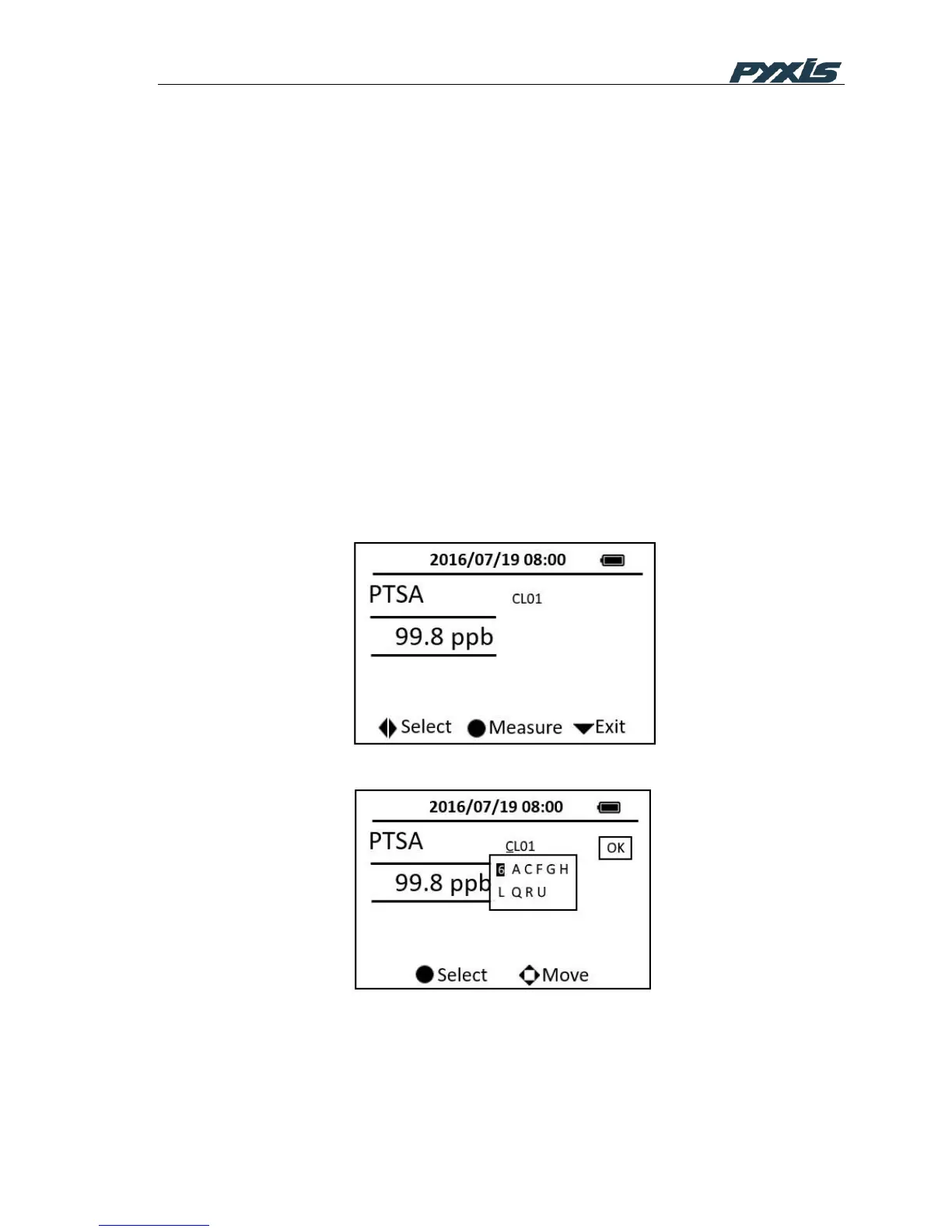
5. Press the OK key on the selected character, a dropdown list containing possible
selectable characters will be shown below the product name. Use the down, right
or left key to locate a character and press the OK key to select (Figure 6). Repeat
this action until all characters in the target product name are being selected. Use
the “OK” button on the screen to accept the product name. The displayed ppm
value will be updated according to the calibration parameters of the selected
product.
Figure 5 PTSA Measurement
Figure 6 Product Selection
If CL01 is selected, the displayed value is ppb PTSA concentration without PTSA-to-
Product conversion.



 To Next Page