25
7. Gently shake the sample vial for 30 seconds.
8. Place the sample vial back to the sample compartment. Product concentration
will be updated and plotted on the screen every 3 seconds.
When the 3 minute timer is reached, the final concentration will be shown on
the screen. The timer can be terminated earlier by pressing the STOP button.
The last read concentration value will be displayed after the timing step is
terminated.
A ChemTreat product name can be selected before starting the method. Click
on the right key to highlight the first digit after CL in the product name. Press
the OK key on the selected digit. A dropdown list containing possible
selectable digits will be displayed below the product name (figure xx). Use the
down, right or left keys to locate a digit and press OK to select. Use the OK
button to accept the product name.
The product name can be selected after the method is completed. The
displayed ppm value will be updated according to the calibration parameters of
the selected product name.
Select CL02 to show the raw absorbance value.
5.8 Method Setup and Calibration
Press the SETUP button in the method result page to launch the method setup and
calibration page.
5.8.1 Set up the method parameters
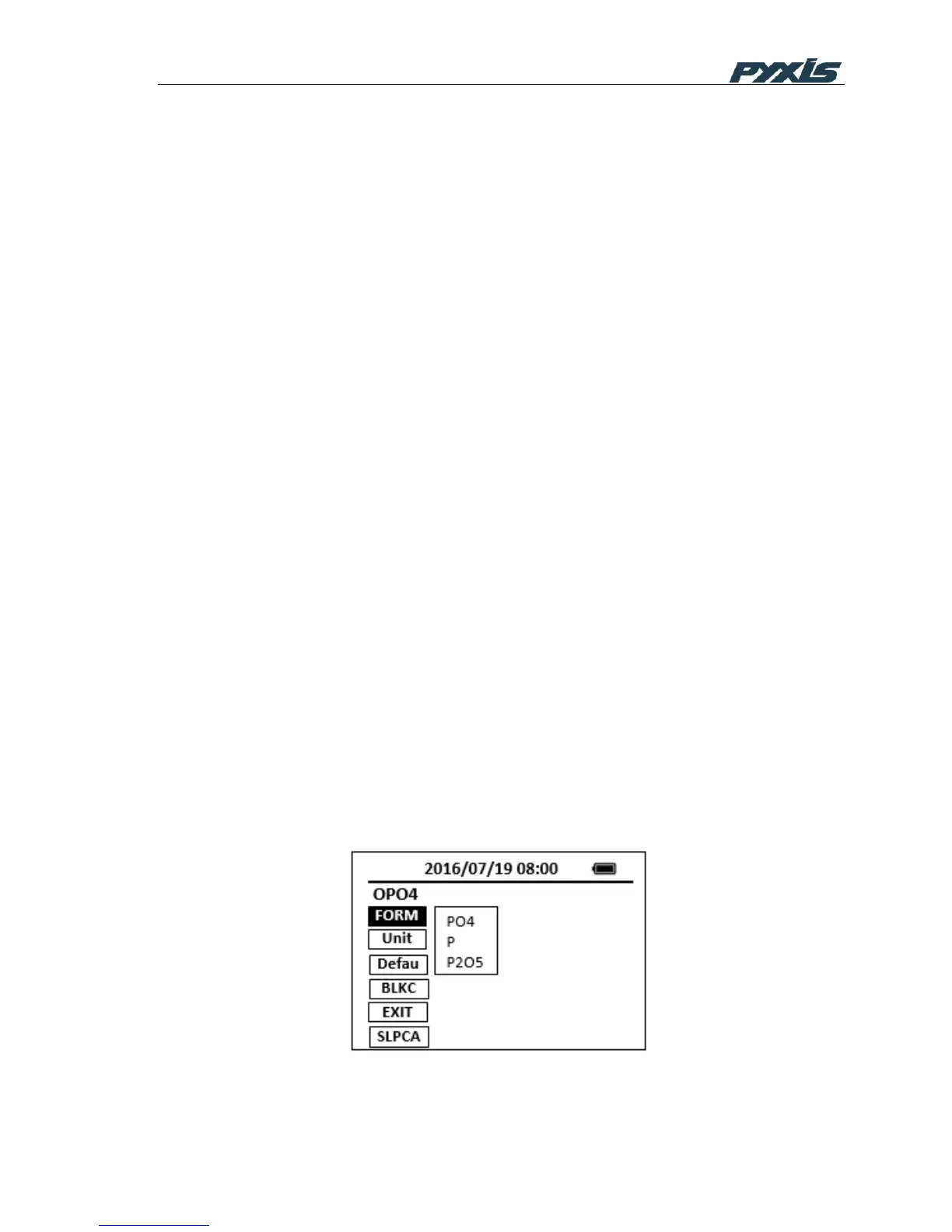
Press the FORM button to select a concentration form from the list of forms that
are available for this specific method (Figure 17).
Press the UNIT button to select a concentration unit among the list of ppm, mg/L,
ppb, ug/L and No Unit (Figure 18).
Figure 17 Method Form Selection



 To Next Page