32
8.2 Turn on SP-910
1) Long press OK button for 5 seconds to turn off the SP-910
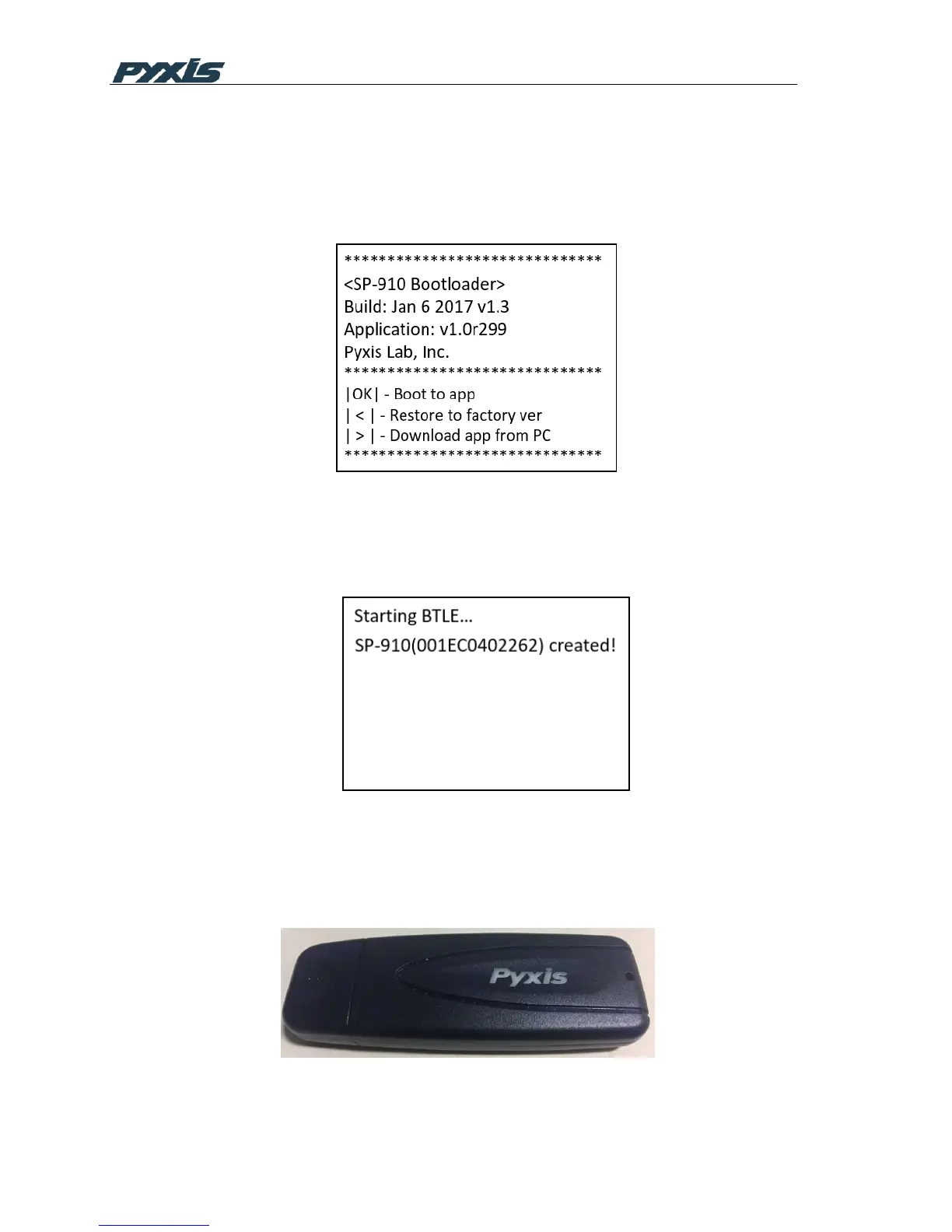
2) Press LEFT button, then click OK button while holding down LEFT button
3) SP-910 displays below menu
Figure 26 Bootloader Menu
4) Click RIGHT button,SP-910 enters upgrading mode,SP-910 displays below menu to
indicate that it is ready to be connected by Nebula PC software
Figure 27 Bluetooth Ready
8.3 Connect Nebula to the SP-910
1) Plug the Bluetooth adapter into your PC USB port



 To Next Page