34
10 Calibrate a ST-500 with SP-910
The SP-910 can be used to verify the result of inline Pyxis ST-500 and other probes by
measuring the sample water took from the inline probe sample line. The SP-910 can then
be used to calibrate the inline probes over the Bluetooth connection.
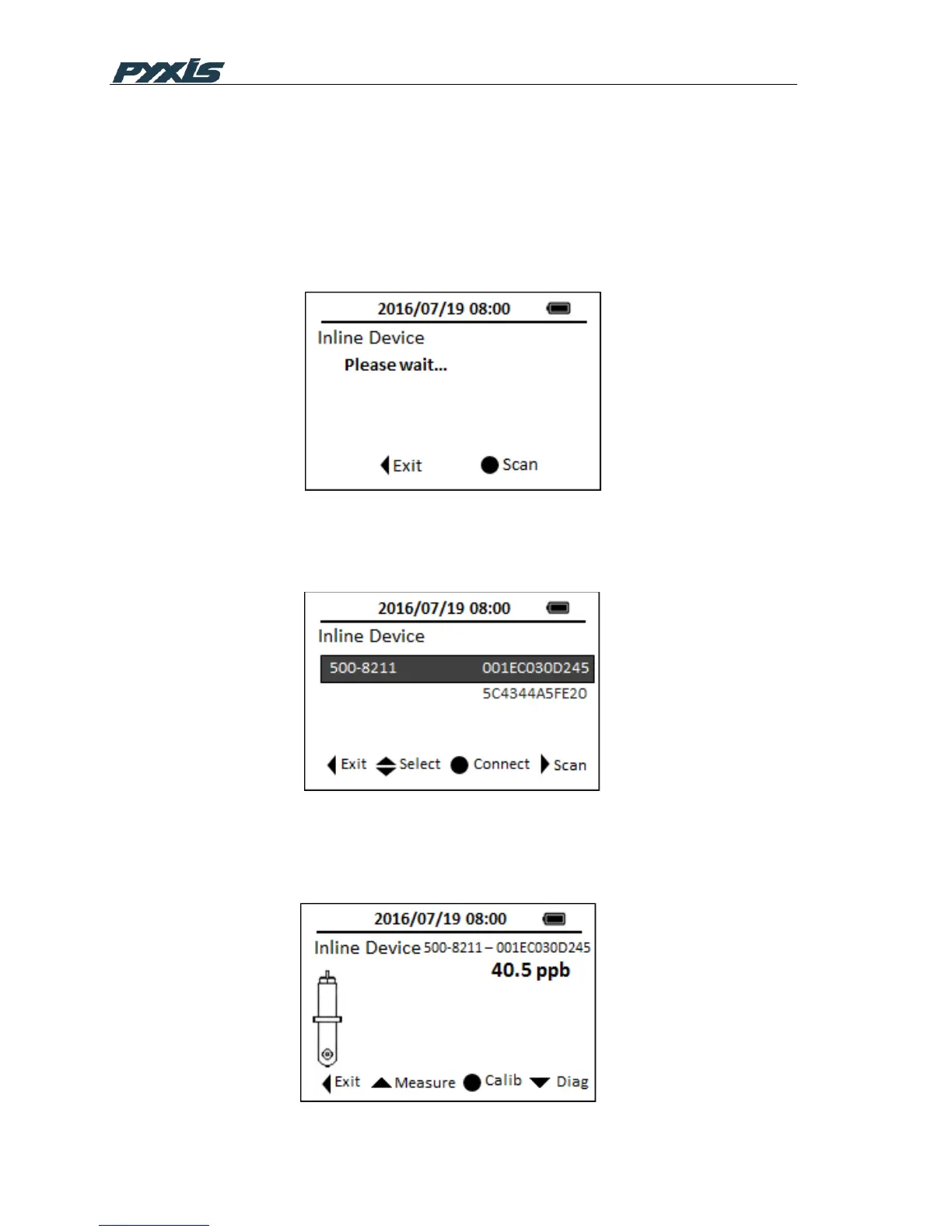
Choose the CAL ICON in main menu and select Inline Device, the following interface then
appears in the screen. SP-910 starts to scan devices via Bluetooth interface.
Figure 28 Scan Inline Device
Active inline probes will be listed in the following screen, use Up and Down key to select
the device you want to pair with, click OK key to connect to it.
Figure 28 Pair Inline Device
Once the connection is established, the SP-910 will read the latest reading from the
connected ST-500 and display the reading as shown in Figure 29.



 To Next Page