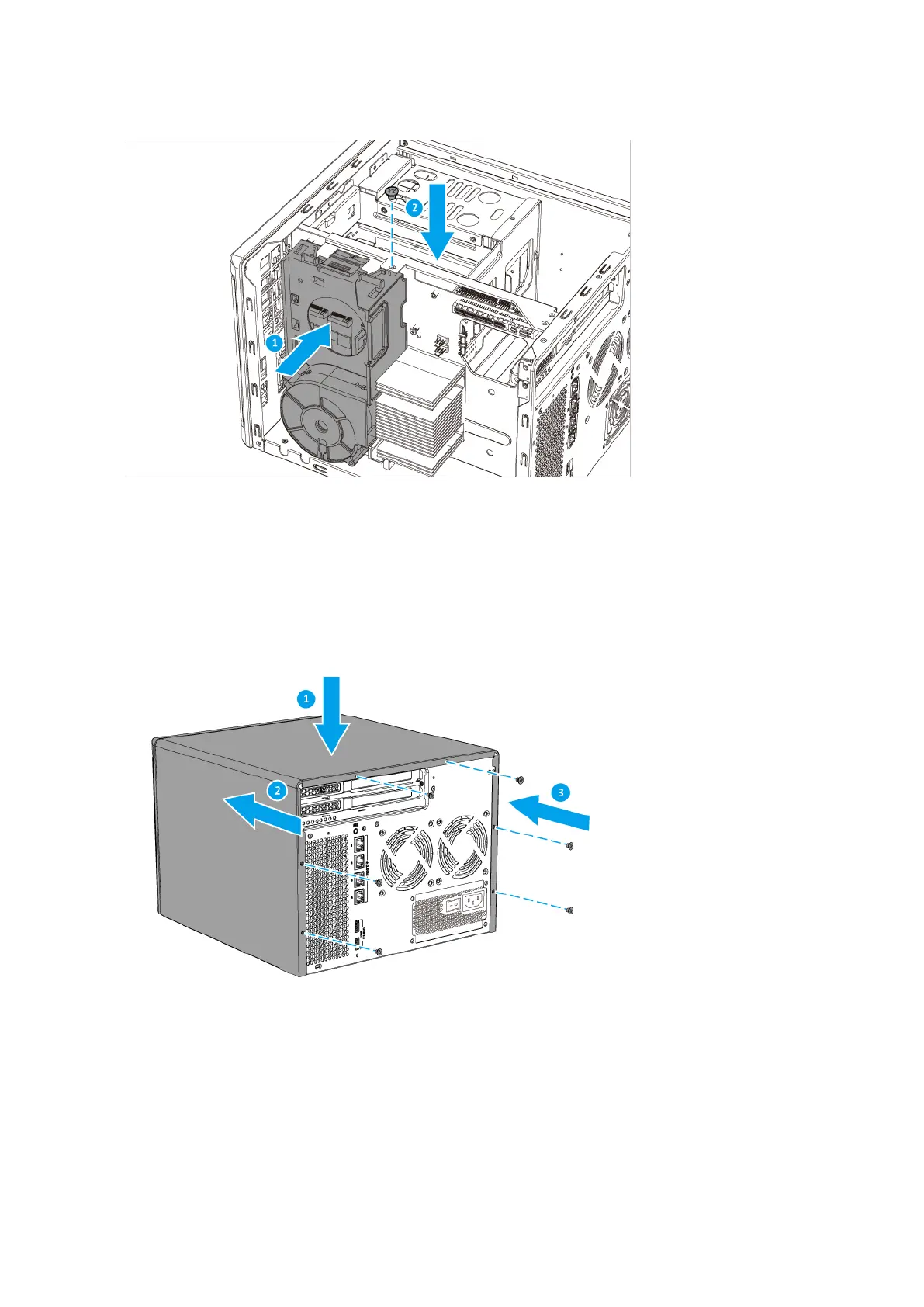
9. Attach the case cover.
a. Place the cover on the device.
b. Slide the cover forward.
c. Tighten the screws.
Expansion Unit Installation
The TS-hX86 series supports USB expansion units. Refer to the following table for details.
You can purchase storage expansion accessories from QNAP or an authorized reseller.
For details, go to https://shop.qnap.com/.
TS-hx86 User Guide
Installation and Configuration 39



 To Next Page
 Loading...