•
Other moving components: Keep your hands and other body parts away from other
moving components.
1. Power o the device.
2. Disconnect the power cord from the electrical outlet.
3. Disconnect all cables and external attachments.
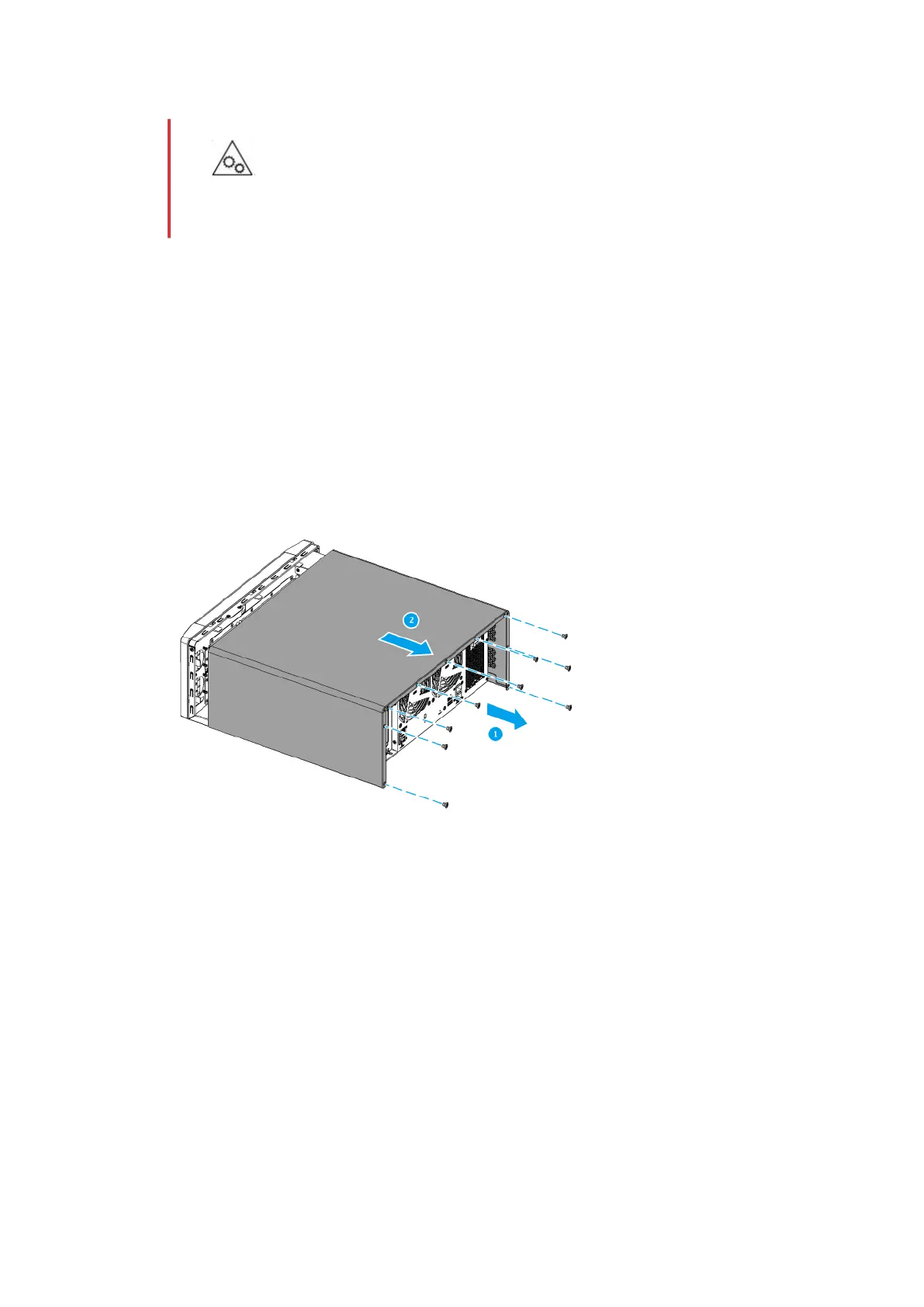
4. Remove the case cover.
a. Loosen the screws.
b. Slide the cover back.
c. Lift the cover o the device.
5. Remove the PCIe cover.
a. Remove the screw that secures the cover to the bracket.
b. Pull the cover away from the slot.
TS-h1290FX User Guide
Installation and Conguration 20


 To Next Page
 Loading...