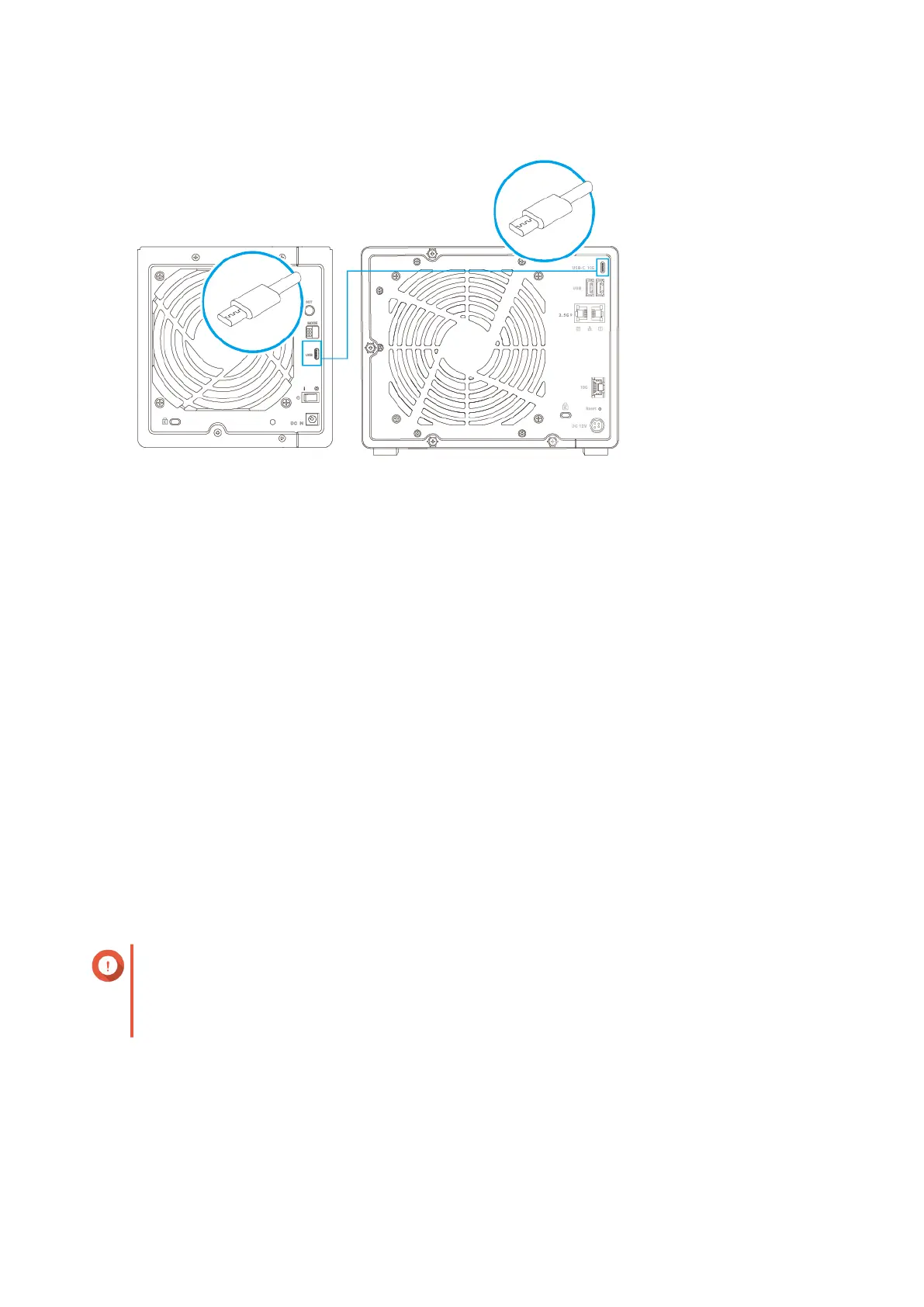
Connecting to the USB 3.2 Gen 2 Type-C port on the NAS.
3. Power on the expansion units.
4. Power on the NAS.
5. Verify that the expansion units are recognized by the NAS.
a. Log on to QuTS hero as administrator.
b. Go to Main Menu > Storage & Snapshots > Overview > System .
c. Verify that the expansion units are listed.
6. Optional: Troubleshoot abnormal USB connection speed.
a. Power off the NAS.
b. Power off the expansion units.
c. Disconnect all USB cables.
d. Wait 10 seconds.
e. Replug the USB connectors.
Important
• Plug each connector all the way in to its corresponding USB port in one smooth action.
• Follow the previous steps to reconnect the expansion units to the NAS.
TS-h973AX User Guide
Installation and Configuration 29



 To Next Page
 Loading...