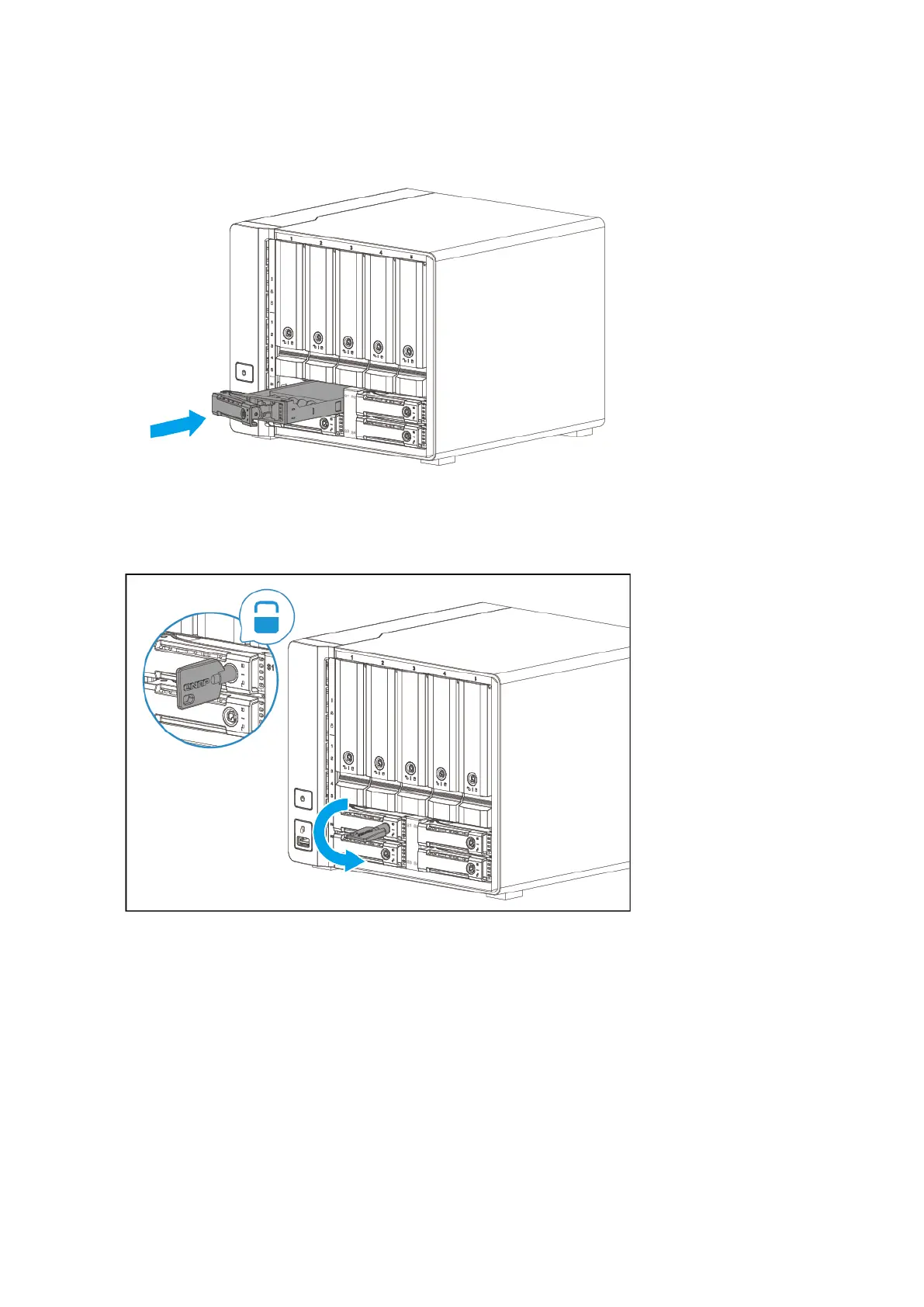
b. Push the handle.
c. Lock the tray.
6. Power on the NAS.
Replacing Memory Modules
The TS-h973AX has two memory slots. You can increase the memory capacity of the NAS by upgrading
memory modules. This NAS also comes preinstalled with one or two non-ECC memory modules. To provide
extra protection from undetected data corruption, you can upgrade to ECC memory modules.
Use only QNAP memory modules to maintain system performance and stability. You can purchase QNAP
memory modules from authorized resellers.
TS-h973AX User Guide
Installation and Configuration 22



 To Next Page
 Loading...