Item Quantity
Quick Installation Guide (QIG) 1
Components
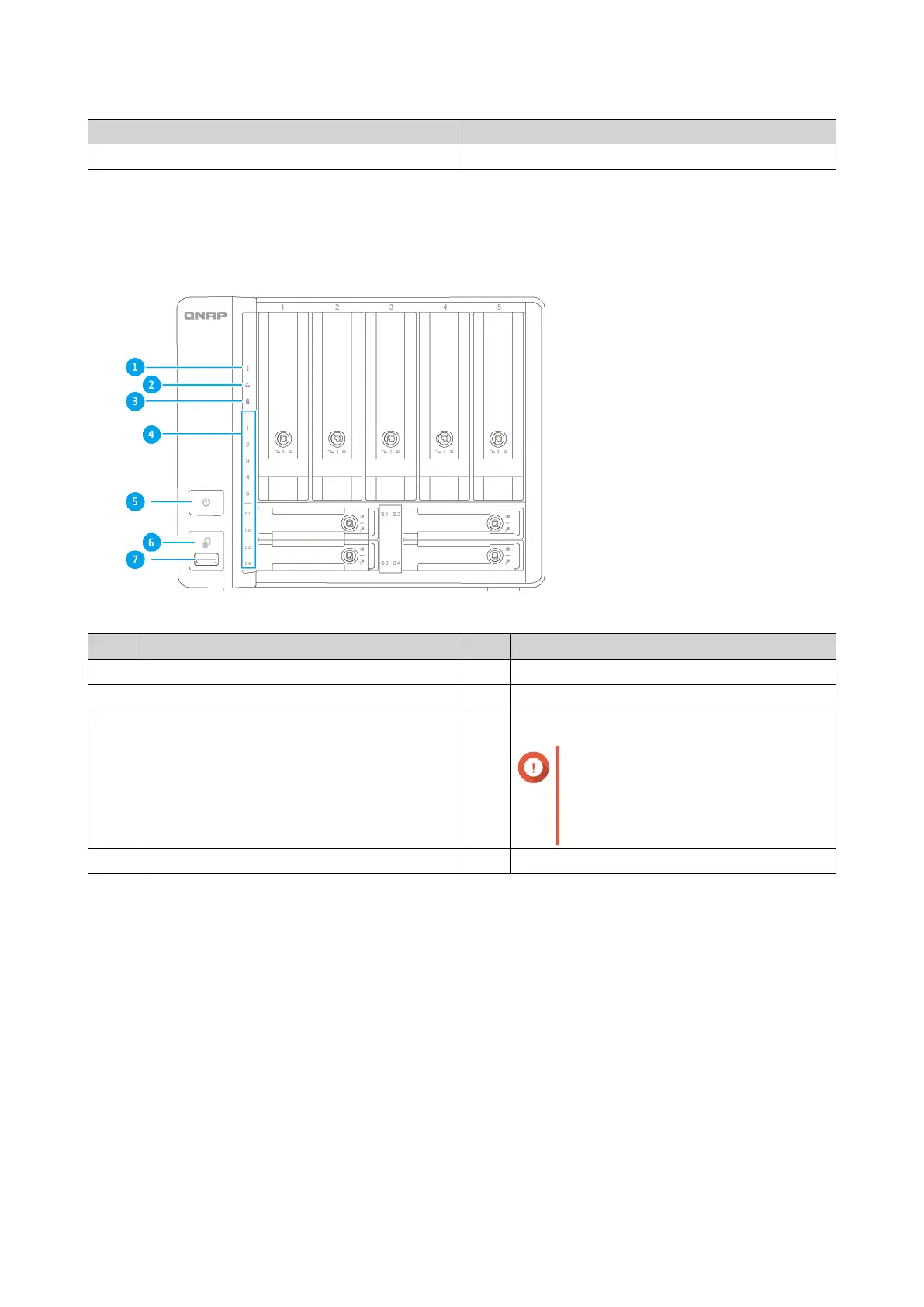
Front Panel
No. Component No. Component
1 Status LED 5 Power button
2 LAN LED 6 USB One Touch Copy button
3 USB One Touch Copy LED 7 USB 3.2 Gen 2 One Touch Copy Type-A port
Important
If the USB connection speed
appears abnormal, replug the USB
connector all the way in to the
USB port in one smooth action.
4 Drive LEDs - -
TS-h973AX User Guide
Product Overview 7



 To Next Page
 Loading...