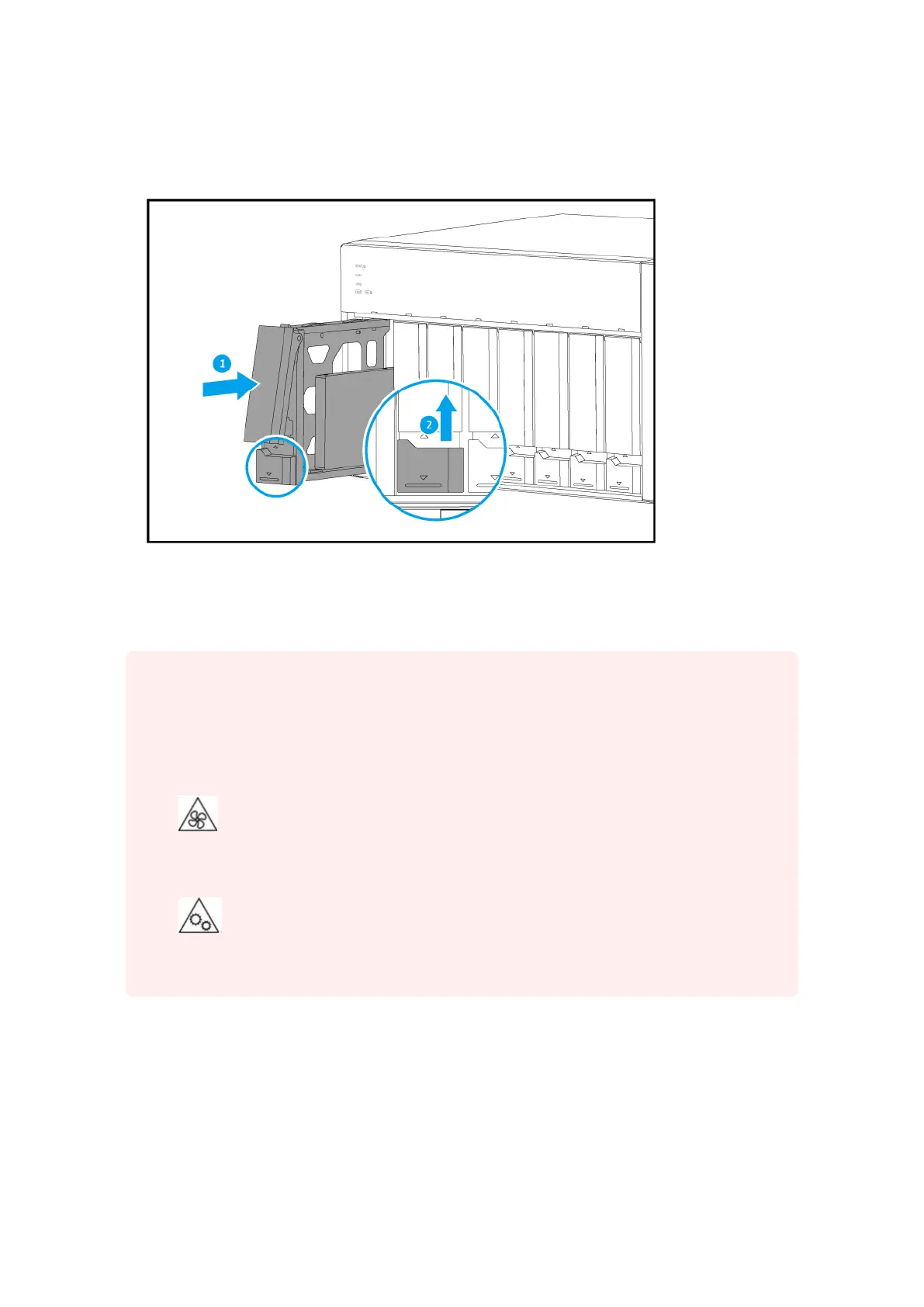
b. Push the handle.
c. Slide the lock up.
5. Power on the NAS.
Installing M.2 Solid-state Drives
Warning
• Only qualied personnel should perform the following steps. Failure to follow
instructions can result in serious injury or death.
• Observe electrostatic discharge (ESD) procedures to avoid damage to components.
•
Moving fan blades: Keep your hands and other body parts away from moving fan
blades.
•
Other moving components: Keep your hands and other body parts away from other
moving components.
TVS-x72XT User Guide
Installation and Conguration 26



 To Next Page