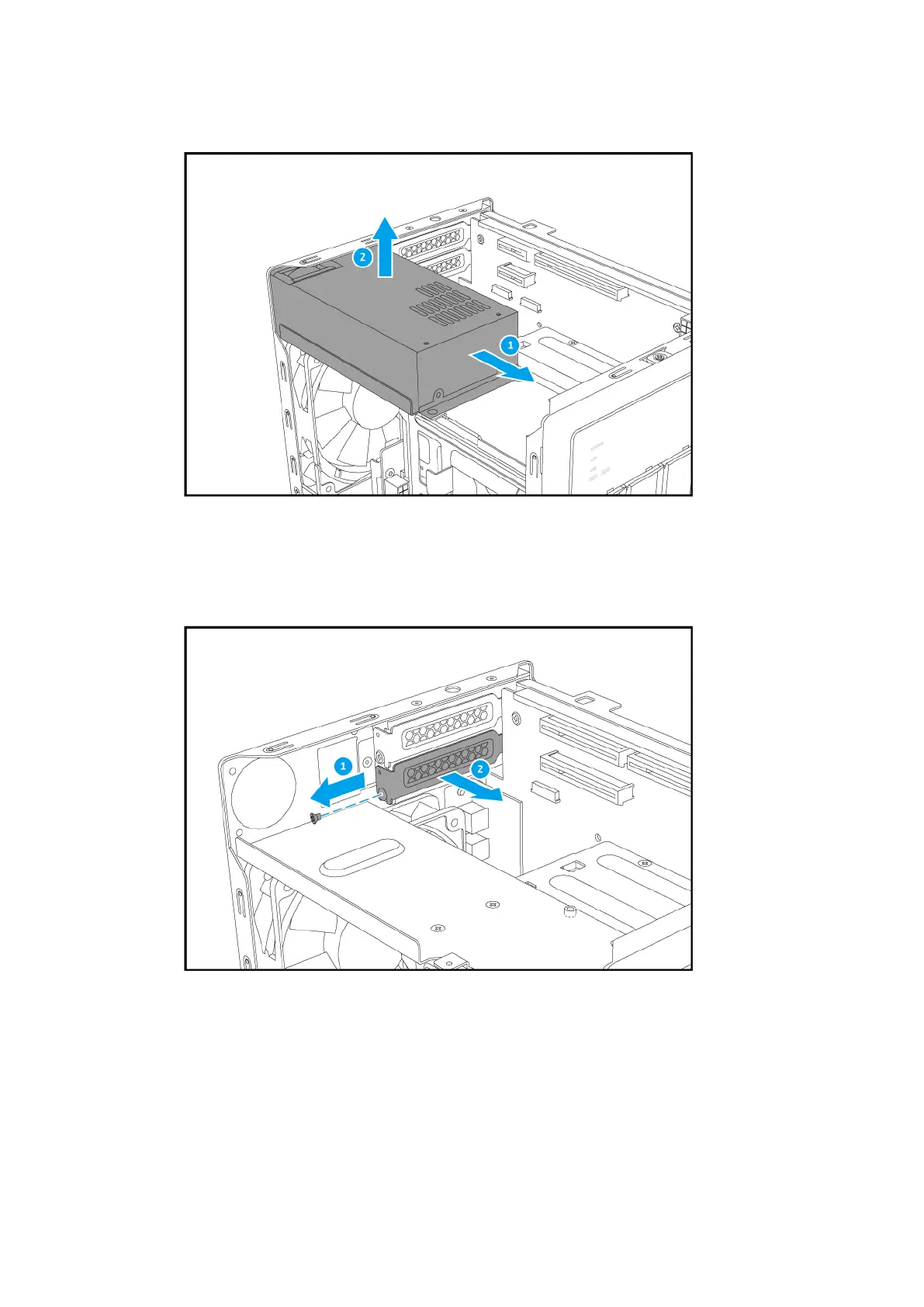
c. Remove the unit from the chassis.
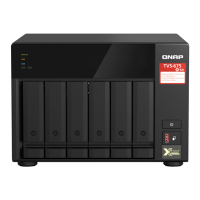
7. Remove the PCIe slot cover.
a. Remove the screw that secures the cover to the chassis.
b. Pull the cover away from the slot.
8. Install the expansion card.
a. Hold the edges of the expansion card and carefully insert it into the slot.
TVS-x72XT User Guide
Installation and Conguration 33



 To Next Page