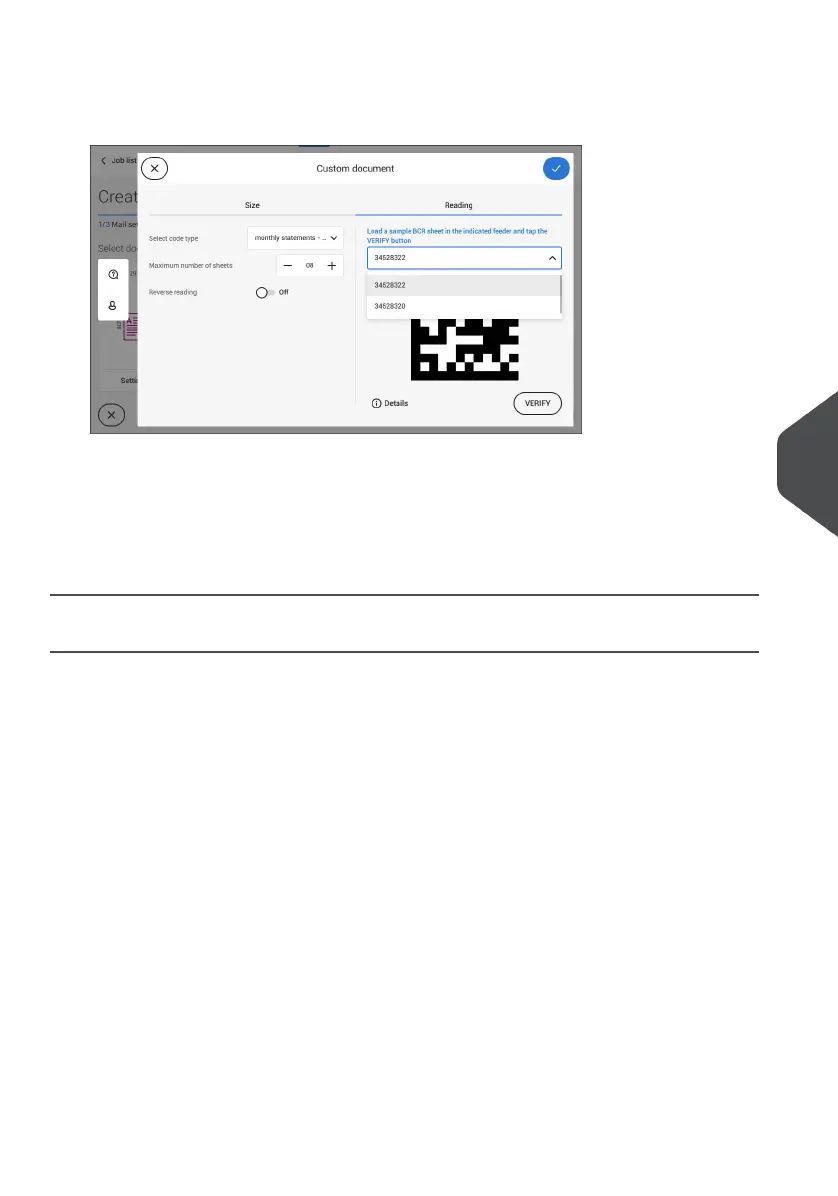
9. Load a sample document in the feeder tray as indicated and tap [Verify] to find the
barcode(s) on the sheet.
• If multiple barcodes are found you can select the correct barcode from the list.
10. Tap [√] and follow the remaining steps to complete the job.
11. When you completed the job creation, tap [Save] to save job.
If required the maximum number of sheets can be reconfigured. Refer to Reading Settings
on page 122 for more details on how to change these settings.
Create an OMR Job
To create a job with OMR:
From the Job list, tap [New job].1.
2. Choose [Manual] to define the job settings.
3. Select an envelope.
4. Tap [Main document].
5. Tap [Settings] in Custom (document) to create a custom document.
6. Enter the document size or select a standard type.
7. Tap the [Reading] tab.
8
English
119
| Page 119 | Jul-11-2022 07:45 | Reading



 To Next Page