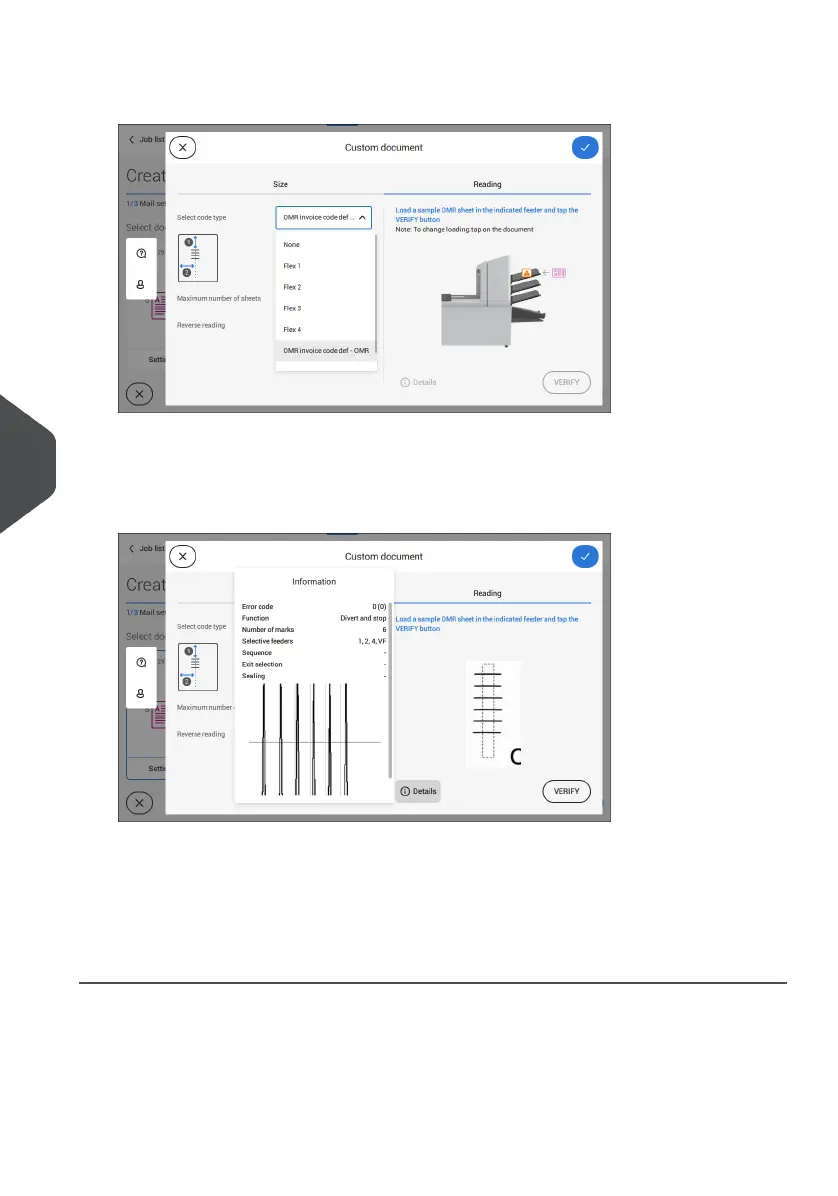
8. Select one of the pre-defined OMR code definitions from the pull down menu (code
definitions have been programmed by your supervisor or by the service engineer).
9. Load a sample document in the feeder tray as indicated and tap [Verify] to read the
OMR code on the sheet.
• After verification the result is displayed. If you tap on [Details] information is shown
about the OMR reading code.
10. Tap [√] and follow the remaining steps to complete the job.
11. When you completed the job creation, tap [Save] to save job.
If required the maximum number of sheets can be reconfigured. Refer to Reading Settings
on page 122 for more details on how to change these settings.
120
| Page 120 | Jul-11-2022 07:45 | Reading
8
English



 To Next Page