Create a Flex Reading Job
To create a job with flex reading:
From the Job list, tap [New job].1.
2. Choose [Manual] to define the job settings.
3. Select an envelope.
4. Tap [Main document].
5. Tap [Settings] in Custom (document) to create a custom document.
6. Enter the document size or select a standard type.
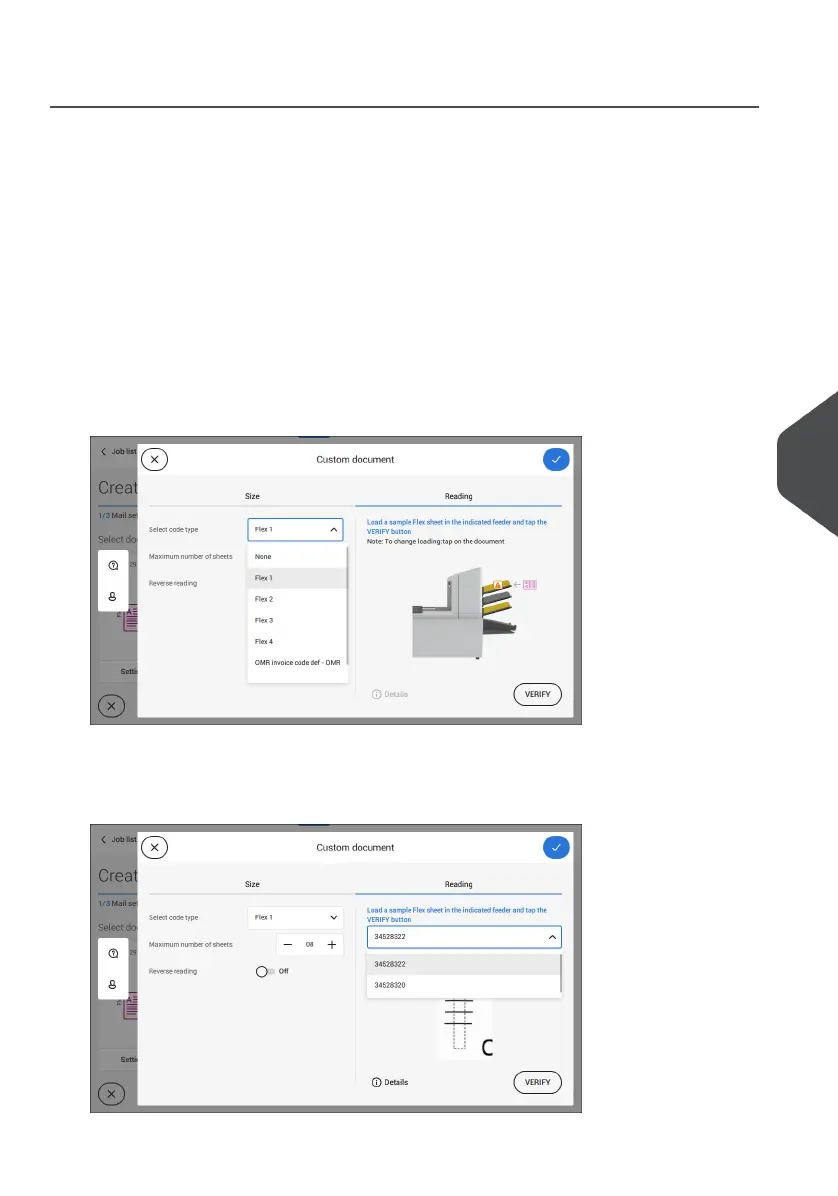
7. Tap the [Reading] tab.
8. Select one of the pre-defined Flex code definitions from the pull down menu (code
definitions have been programmed by your supervisor or by the service engineer).
9. Load a sample document in the feeder tray as indicated and tap [Verify] to find the
Flex code(s) on the sheet.
• If multiple Flex codes are found you can select the correct Flex code from the list.
8
English
121
| Page 121 | Jul-11-2022 07:45 | Reading



 To Next Page