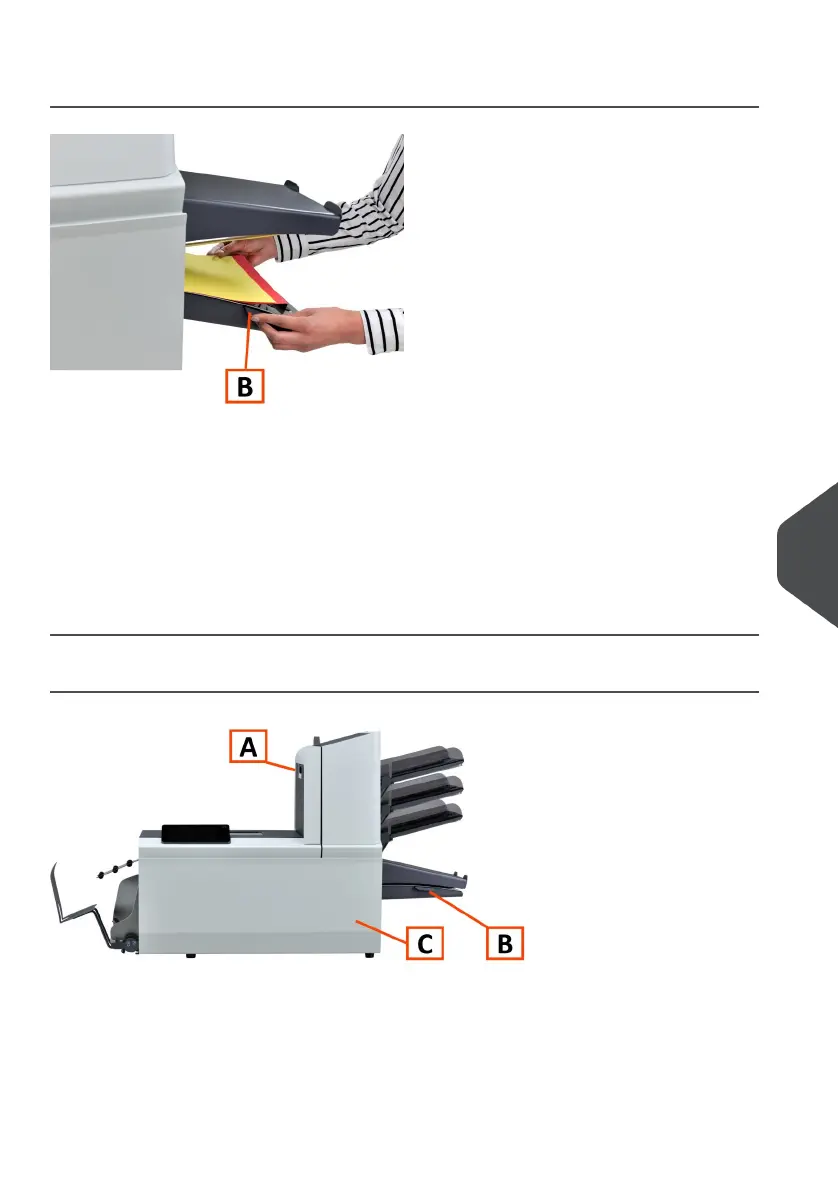
Collating Area
When a stoppage occurs in the collating area, remove the documents from the collating
area as follows:
Move the collator plate B down.1.
2. Remove the documents from the collator area.
3. Move the collator plate B up in position.
4. Press the [Reset] button to reset the error and restart the job.
Folder area
When a stoppage occurs in the Folder area, remove the documents from as follows:
Open the top cover A by pulling up the handle.1.
2. Remove the documents from the Folder area.
10
English
135
| Page 135 | Jul-11-2022 07:45 | Fault Finding



 To Next Page