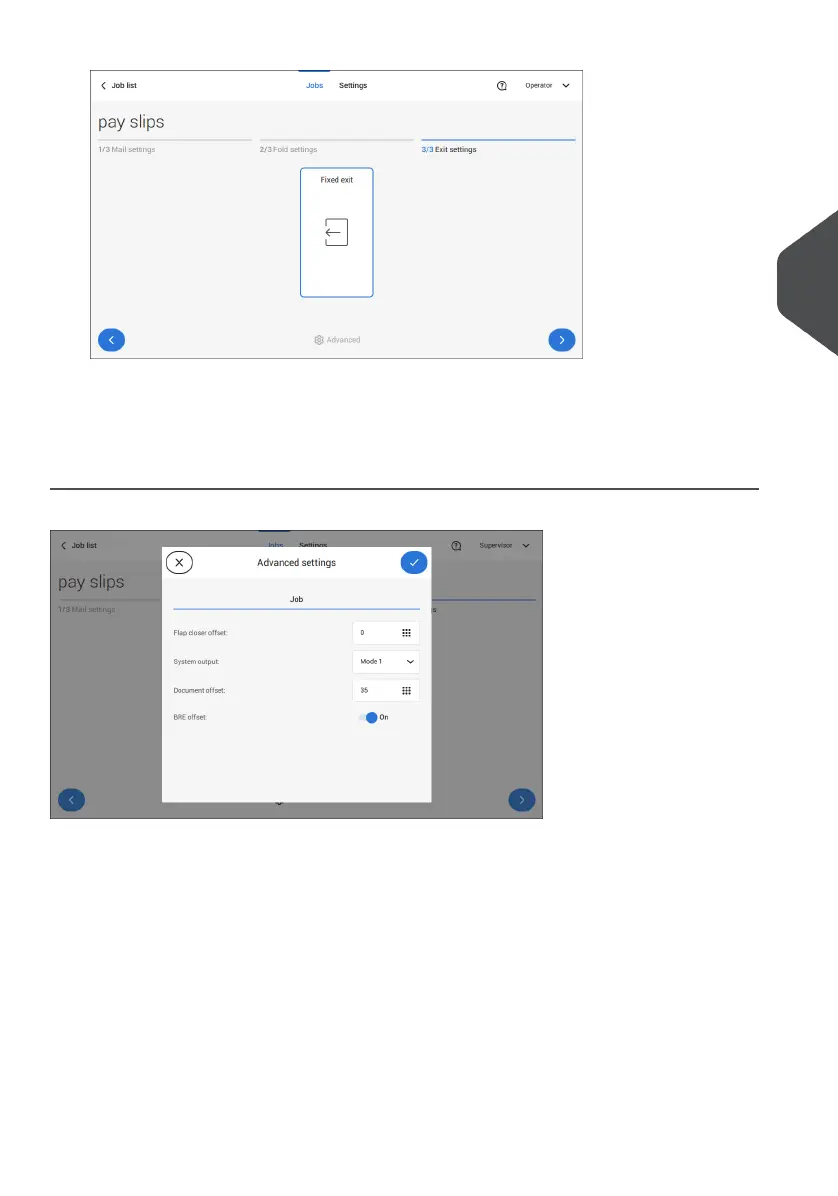
2. Optionally tap the [Advanced] button to set the Advanced settings per job.
3. Tap [>].
Finish the job defenition and start the job (see Finish the job definition and start the job on
page 40) or set the Counters (see counter settings on page 38).
Job Settings (per job)
The Job settings part of the "Advanced settings" menu covers settings that improve the
processing of jobs:
• Flap closer offset: to improve the sealing of specific envelopes you can delay or
advance the moment of sealing. You enter the number of pulses. A minus value
means the sealing is advanced, a plus value means the sealing is delayed. You can
enter a number between -20 and 20.
• System output: mode 1 mode 2
Mode 1 focuses on the versatility of paper parameters (paper thickness; document
length), i.e. correct operation under even extreme paper conditions. Mode 2 is the
default mode, and focuses on high speed. Use Mode 1 with a paper thickness of 65
4
English
35
| Page 35 | Jul-11-2022 07:45 | Working with Jobs



 To Next Page