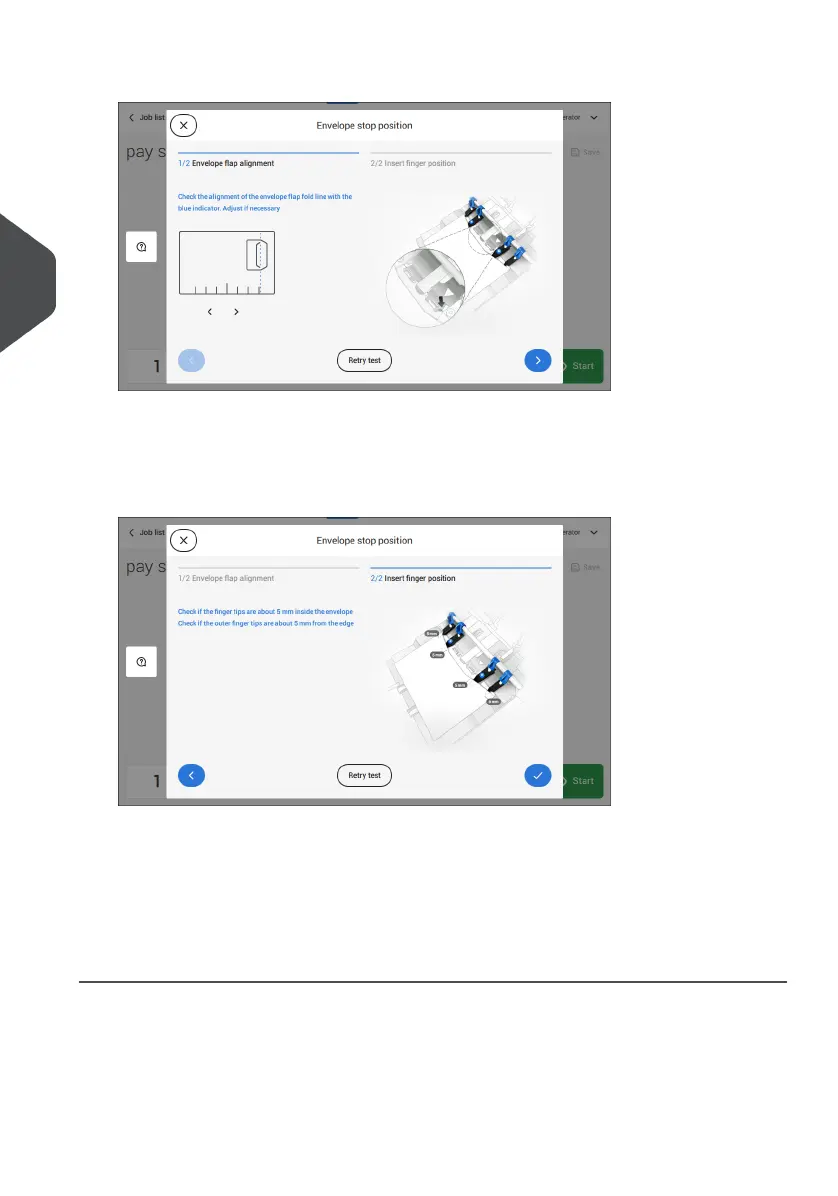
4. Align the envelope flap fold line with the blue indicator by tapping the arrows.
Tap the button [Retry test] to fetch another envelope (Note: the upper unit has to be
closed). Check the alignment again. Tap the arrow in the bottom right corner if the
alignment is OK.
5. Position the insert fingers as indicated.
Tap the button [Retry test] to fetch another envelope (Note: the upper unit has to be
closed). Check the positioning of the insert fingers again. Tap [√] if the alignment is
OK.
6. Tap the envelope button to fetch another envelope.
7. Make sure that the insert position is correct. If not, repeat the steps for adjusting the
insert position.
44
| Page 44 | Jul-11-2022 07:45 | Working with Jobs
4
English



 To Next Page