Quincy Compressor 35
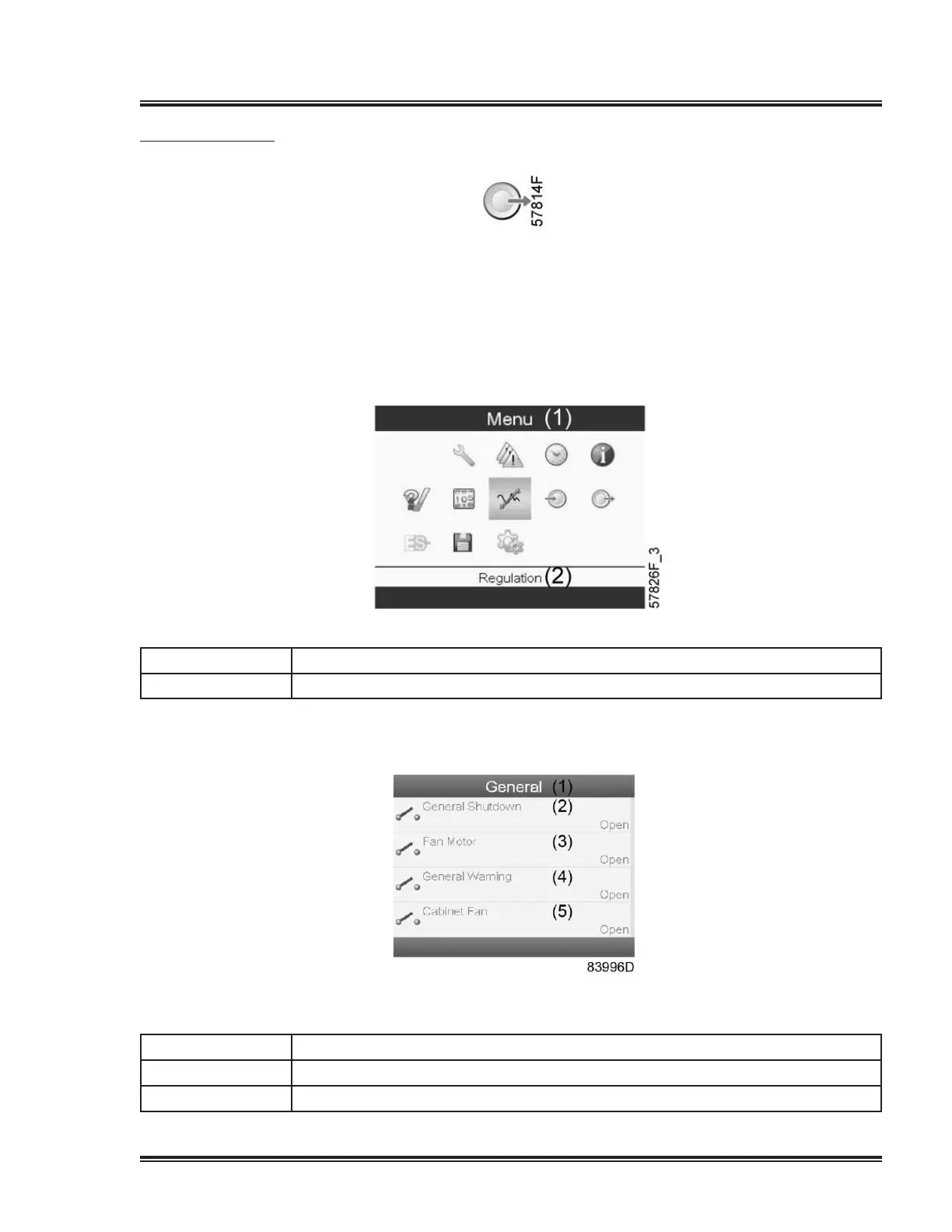
Outputs menu
Menu icon, Outputs
Function
Tocallupinformationregardingtheactualstatusofsomeoutputssuchasthecondition
oftheFanmotoroverloadcontact,thegeneralwarningcontact,etc.
Procedure
Starting from the Main screen,
•MovethecursortotheactionbuttonMenuandpresstheEnterkey.Followingscreen
appears:
Textonimage
(1) Menu
(2) Regulation
•UsingtheScrollkeys,movethecursortotheoutputsicon(seeabove).
•PresstheEnterkey.Ascreensimilartotheonebelowappears:
Outputs screen (typical)
Textonimage
(1) General
(2)
Generalshutdown
(3) Fanmotor


 To Next Page
 Loading...