36 Quincy Compressor
(4) Generalwarning
(5) Cabinet fan
•Thescreenshowsalistofalloutputswiththeircorrespondingiconsandreadings.If
an output is in warning or shutdown, the original icon is replaced by the warning or
shutdown icon respectively.
Counters
Menu icon, Counters
Function
Tocallup:
•Therunninghours
•Theloadedhours
•Thenumberofmotorstarts
•Thenumberofhoursthattheregulatorhasbeenpowered
•Thenumberofloadcycles
Procedure
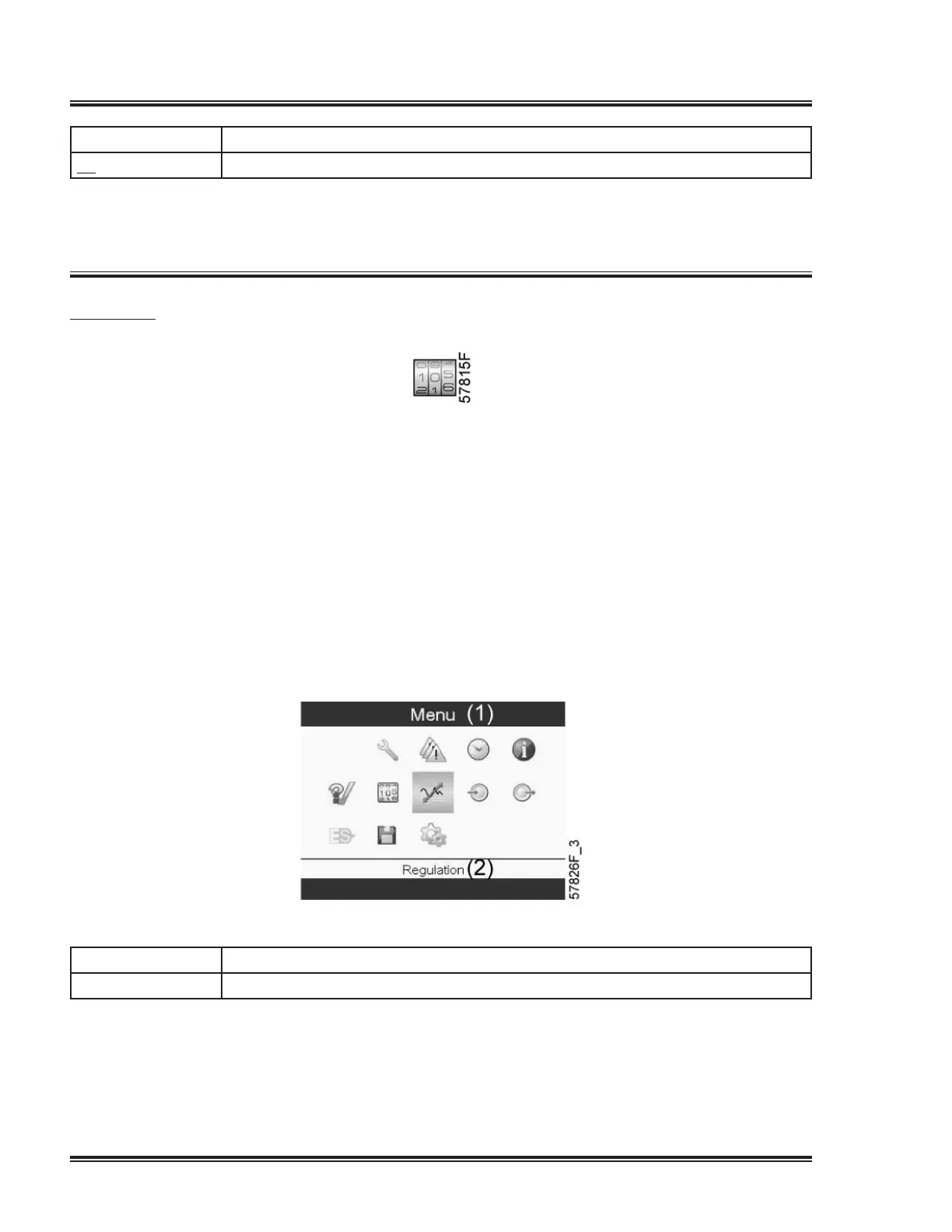
Starting from the Main screen,
•UsingtheScrollkeys,movethecursortotheactionbuttonMenuandpresstheEnter
key.Followingscreenappears:
Textonimage
(1) Menu
(2) Regulation
•UsingtheScrollkeys,movethecursortotheCountersicon(seeabove).
•PresstheEnterkey.Followingscreenappears:


 To Next Page
 Loading...