Section V - Operating instructions
78 Quincy Compressor
Starting
Procedure
1.Opentheairoutletvalve.SeesectionIntroductionforitslocation.
2. Switch on the voltage.
3.Closeallmanualcondensatedrainvalves.
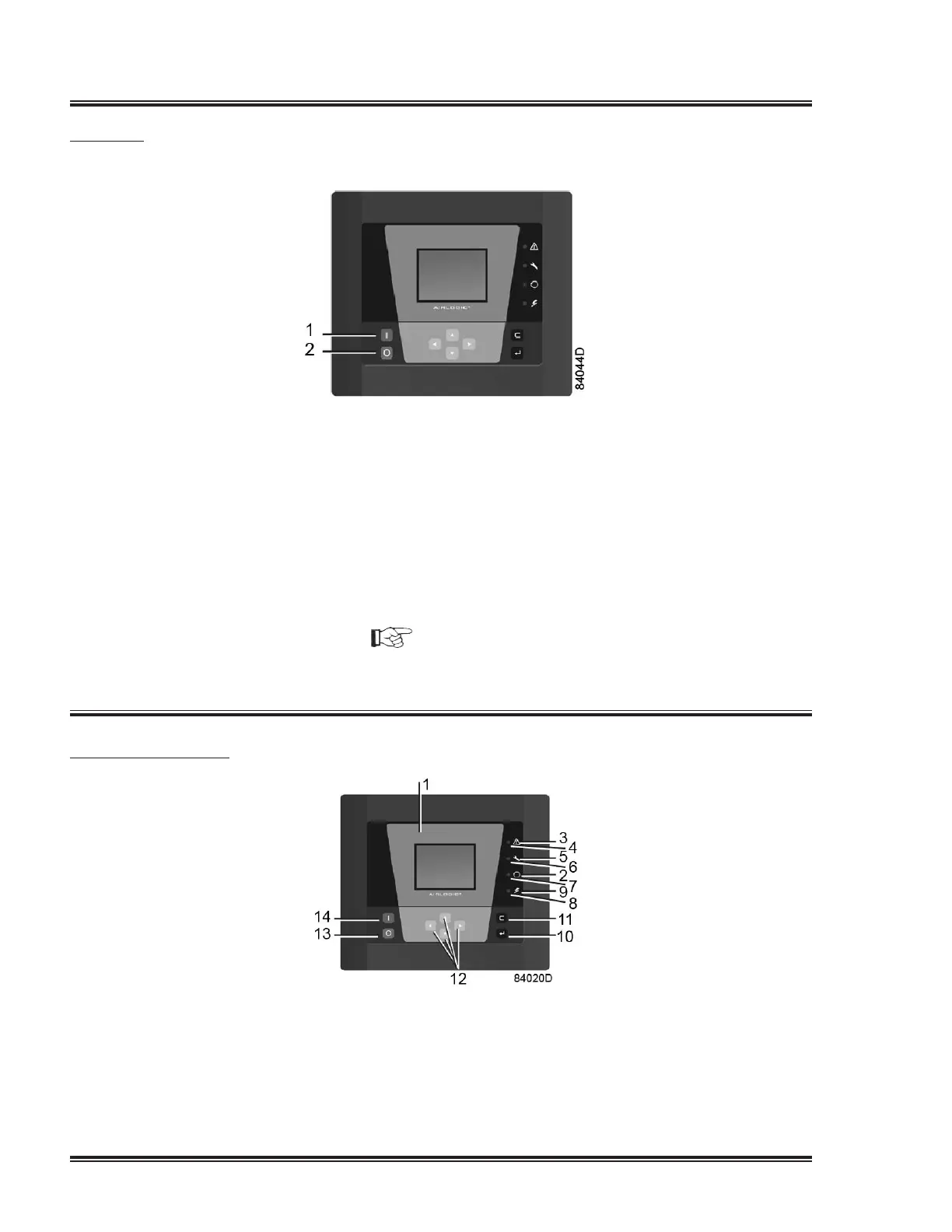
4.Pressthestartbutton(1).Thecompressorstartsrunningandautomaticoperation
LEDlightsup.
5.Theregulatorwillautomaticallystopandstartthecompressormodulesinfunction
of the air pressure.
6. On compressors with integrated dryer, the nominal pressure dew point will be
reached after a few minutes.
NOTICE!
The number of starts is limited to 30 starts per hour. See also section Programmable
settings.
During operation
Procedure
1. If the automatic operation LED (3) is alight, the regulator is automatically
controlling the compressor modules (starting/stopping).
2. Check the readings on the display (1). In case of a warning or shutdown condition,
see section Problem solving or Event history menu.


 To Next Page
 Loading...