Stand-alone use of the device 35
© 2023 Radiacode Ltd.
Alarm 3 on Dose over scale
Light signals can be turned on/off in the settings Radiacode-10X series
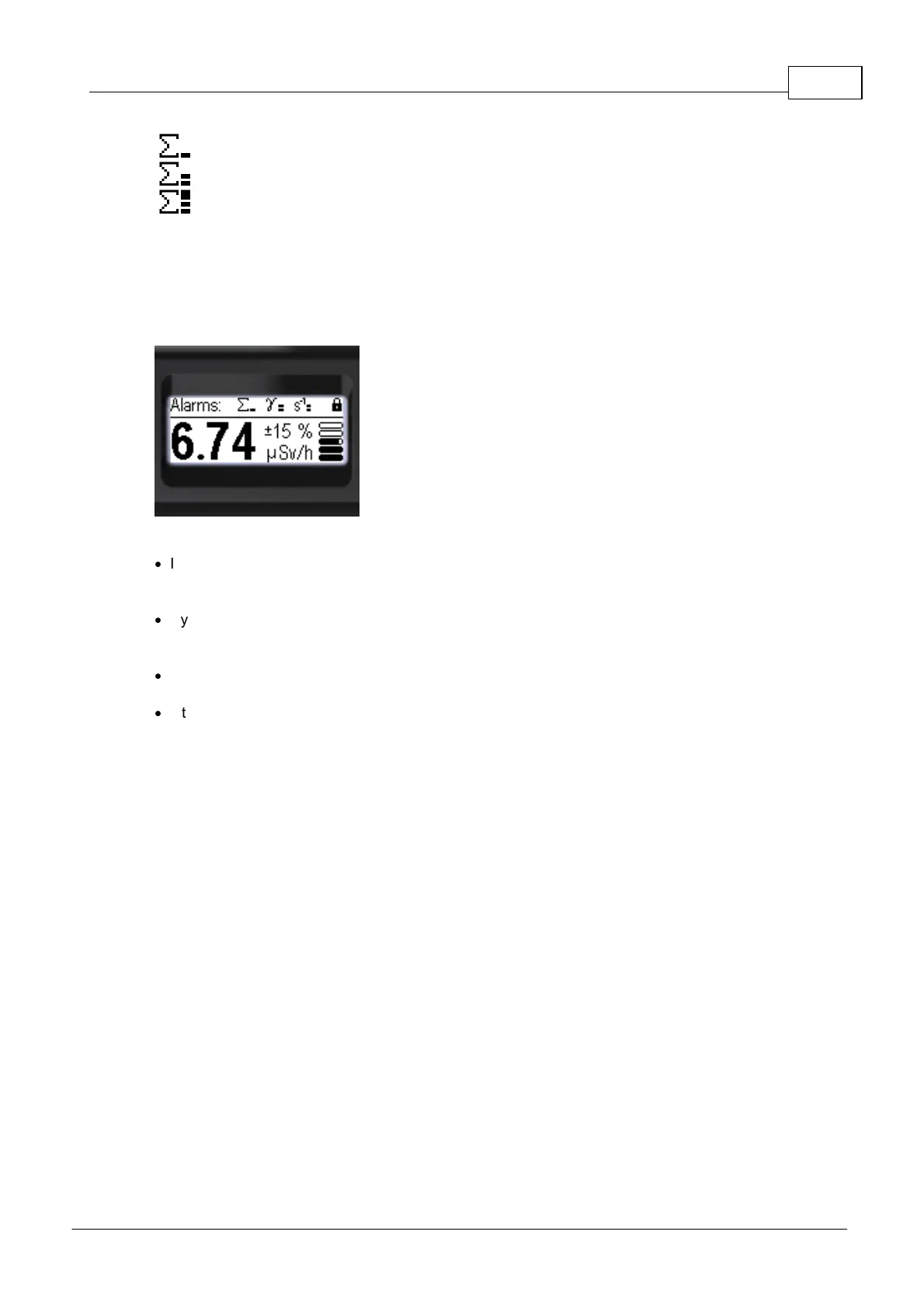
If the device has been locked, if the alarm indication settings (sound and/or vibro) are enabled, a line of
maximum recorded levels of unconfirmed alarms will be shown on the device display after the thresholds
have been exceeded:
The following rules are adopted for indication of states and events of alarms on the display:
·
If the swing buttons are locked, the status panel displays the message "Alarms:" and icons of
maximum alarm levels reached from the moment the buttons are locked to the current moment of time
- one icon for each source.
·
By long pressing the round button, the user can confirm viewing of the presented list of maximum
alarm levels, after which the swing buttons will be unlocked and the normal instrument status panel will
be displayed.
·
If Alarm Events occurred while displaying the menu, upon exiting the menu, the display will show the
list of maximum alarm levels mentioned above. The swing buttons will then be locked.
·
If the swing buttons are unlocked and the display shows one of the measurement display modes, the
status bar will show the current alarm level icons for each of the sources, alternating between them.



 To Next Page