MiniRAE Lite User’s Guide
5 Replacing Alkaline Batteries
An alkaline battery adapter is supplied with each instrument. The
adapter (part number 059-3052-000) accepts four AA alkaline
batteries (use only Duracell MN1500 or Energizer E91) and provides
approximately 12 hours of operation. (An optional rechargeable
lithium-ion battery pack, part number 059-3051-000, is also
available.)
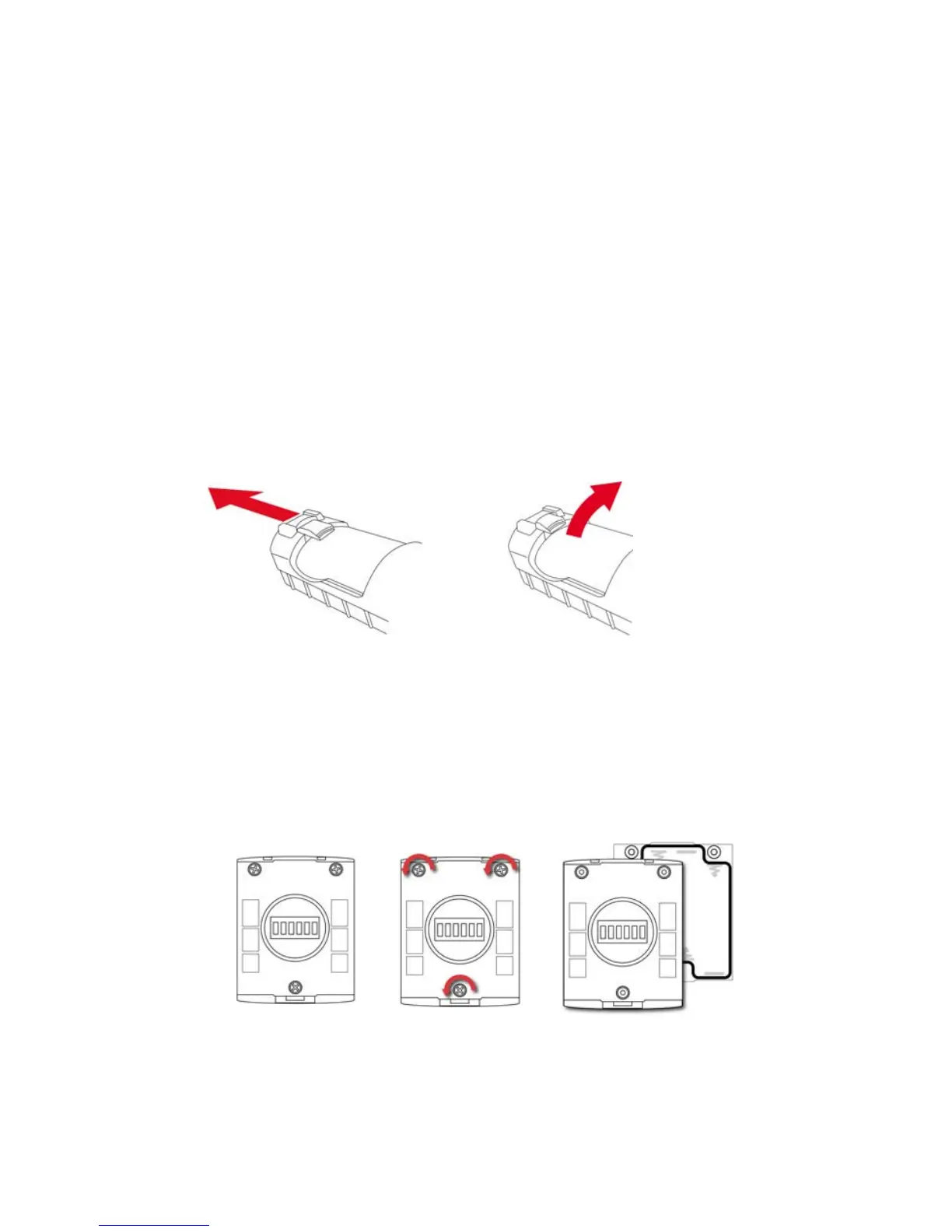
To install the adapter in the instrument:
1. Remove the alkaline battery adapter from the instrument by
sliding the tab and tilting out the adapter.
2. Replace the batteries (follow the procedure below).
3. Tilt the alkaline battery adapter and put it into the instrument.
4. Slide the tab back into place to secure the battery adapter.
To insert batteries into the adapter:
1. Remove the three Philips-head screws to open the
compartment in the adapter.
12



 To Next Page