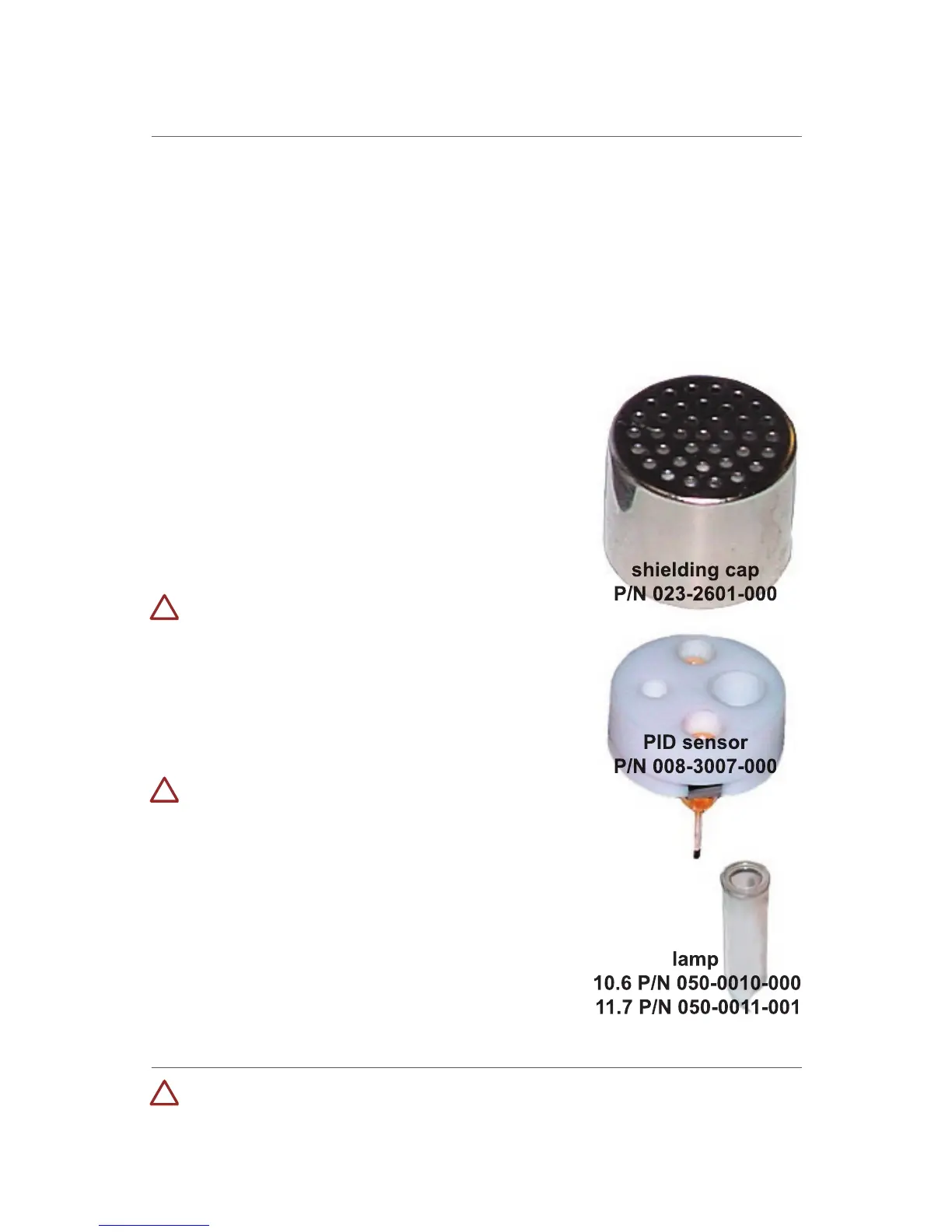
PID Sensor Cleaning/Replacement
During the course of normal operation, a film of gas vapor may build
up inside the PID sensor module and the lamp; the rate of build-up
depends on the type and concentration being sampled. As a guide, it is
recommended to clean the PID sensor module and lamp only when the
Periodically cleaning the lamp window also removes film deposits and
restores lamp sensitivity. Exercise with care when cleaning the window
Turn the monitor off and remove the cover.
Remove the stainless steel shielding cap
for the PID sensor. Using the sensor puller,
remove the PID sensor by carefully pulling
Dip the entire PID sensor into RAE Systems’
lamp cleaning solution (supplied in the Lamp
Cleaning Kit, P/N 081-0002-000).
DO NOT store the methanol from the lamp
cleaning kit in the same case as the MultiRae
Plus, as long-term exposure to methanol can
damage electrochemical sensors.
It is highly recommended to use an
ultrasound bath for at least three minutes.
Then thoroughly air-dry the sensor.
DO NOT use heat to dry sensors.
DO NOT disassemble PID sensor.
If the lamp is operational, use a cotton
swab or lens tissue to clean the flat window
surface with GC grade methanol. If the lamp
does not turn on replace with a new lamp.
Avoid contact with the flat window surface.
Reinstall the PID sensor. Install the shielding
cap. Replace the monitor cover.
Never touch the window surface with fingers or anything which may
leave a film. Water will degrade window surfaces, especially the 11.7 eV



 To Next Page