ToxiRAE Pro User’s Guide
10
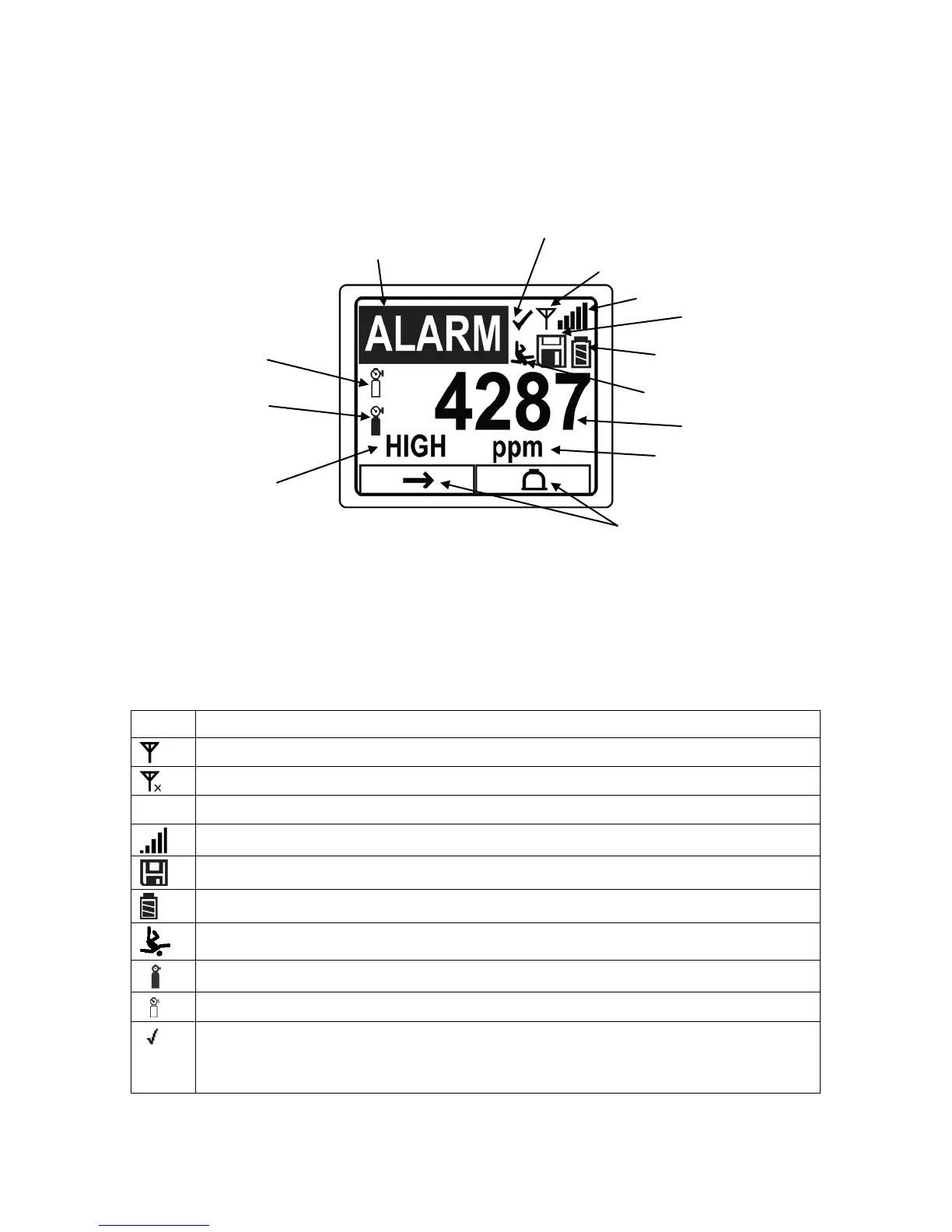
5.1. Display Overview
The LCD display provides visual feedback that includes the sensor types, readings, time,
battery condition, and other functions.
5.2. Status Indicator Icons
Along the top of most screens are status indicators that tell you whether a function is
operating and/or its strength or level.
Wireless status: the radio is on
Wireless status: the radio is off
The instrument is not equipped with a radio (no icon)
Wireless strength (0 to 5 bars), only when radio is turned on
Datalogging status (shown when datalogging is on, blank when off)
Battery status (three segments show battery charge level)
All sensors tested and calibrated tick mark (all sensors have been bump tested
and calibrated; no sensor is overdue for a bump test or calibration according to
the intervals configured on the instrument
Calibration and bump
test up to date
Sensor name and “Alarm” are
displayed alternately when in alarm
Soft keys
(functions change by activity)
Alarm type
(when in alarm)



 To Next Page