ToxiRAE Pro User’s Guide
41
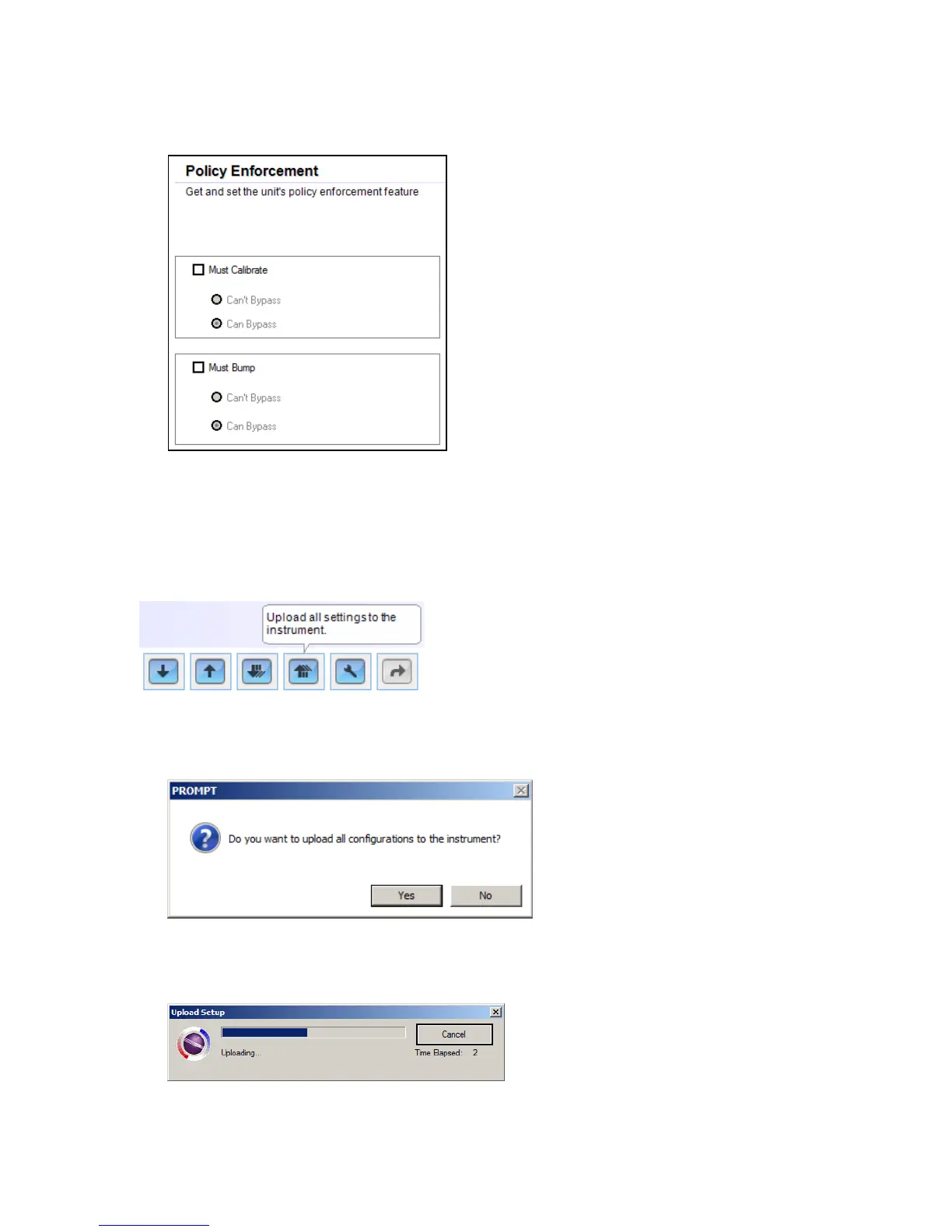
The Policy Enforcement pane is shown:
You can select “Must Calibrate” and/or “Must Bump” and then set whether the user
must perform the selected operation in order to use the instrument.
15. Once you have made your selections in ProRAE Studio II, you must upload the
changes to the instrument. Click the icon labeled “Upload all settings to the
instrument.”
16. A confirmation screen is shown. Click “Yes” to perform the upload, or “No” to abort.
Uploading takes a few seconds, and this progress bar is shown. You can abort the
upload by clicking “Cancel.”



 To Next Page