RAL STAINER
28
RAL STAINER User guide
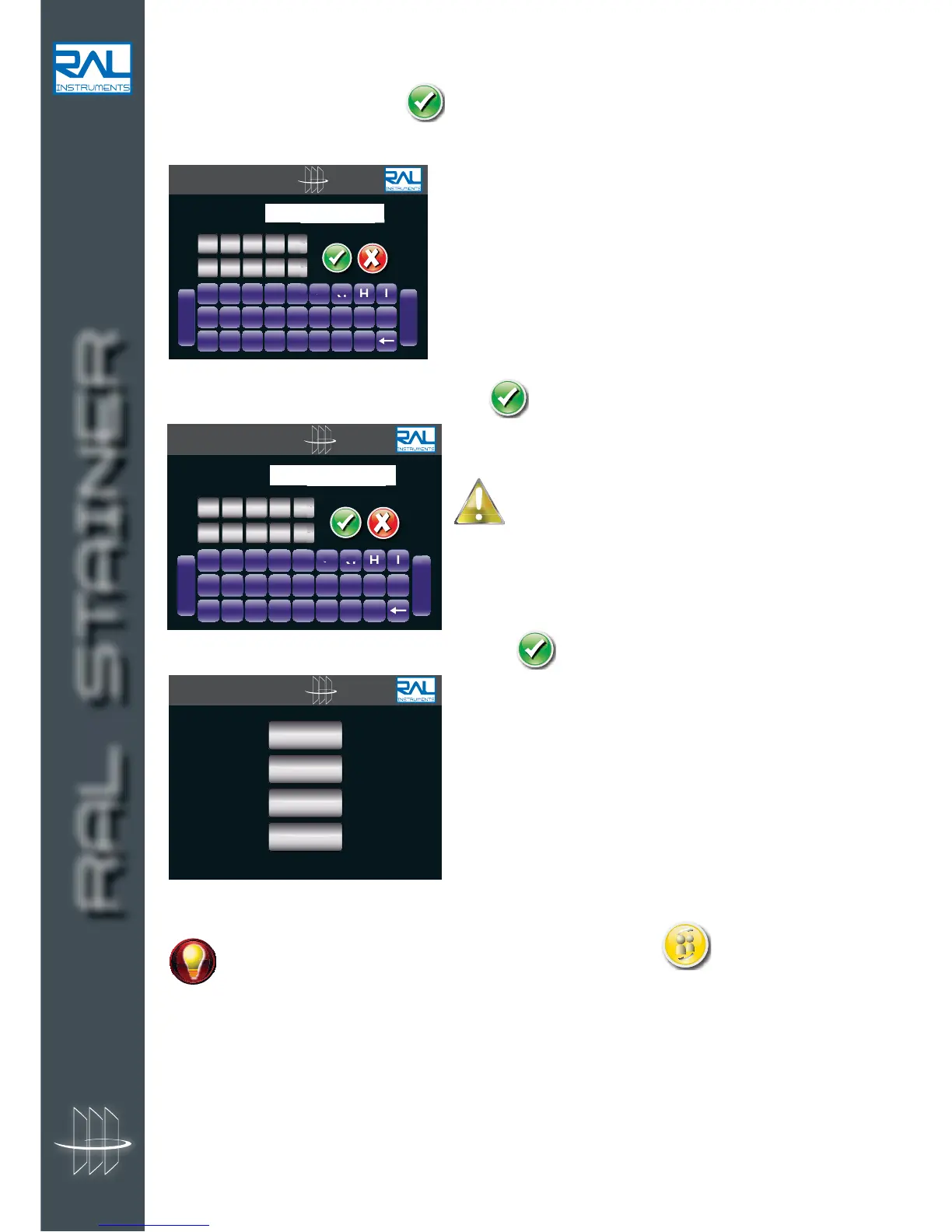
d. Enter the user identification code and validate
It is recommended to choose a mnemonic type code,
the appliance cannot remind the user of the code.
e. Choose the level of rights to associate to the user
At all times it is possible to change users by clicking on the icon
See section 8.2.3.
A strict use of this tool makes it possible to enrich traceability related to the use of the machine.
RAL STAINER
A B C D E F G H I
J K L M N O P Q R
S T U V W X Y Z
-
Space
CODE :


 To Next Page