This function is available to all users. See section
9.1.
The parametered protocol list is displayed, press on the
protocol to be changed to load it.
The last used protocol remains the active protocol after all appliance off/on operations.
10.4 INSTALLING THE SLIDES
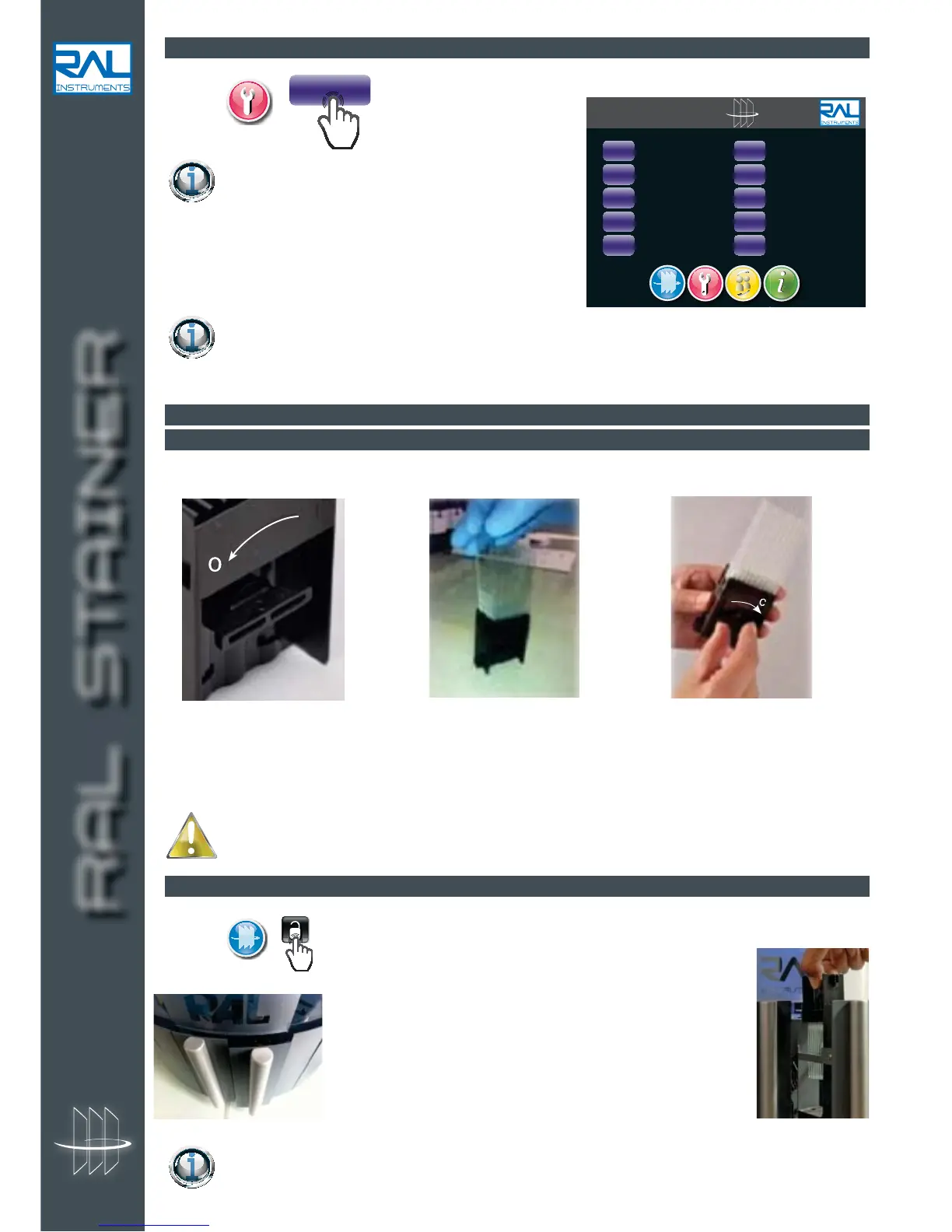
10.4.1 LOADING THE SLIDE HOLDER
Place from 1 to 10 slides in the slide holder.
Always make sure that the slides are correctly placed and aligned.
10.4.2 PLACE THE SLIDE HOLDER IN THE APPLIANCE
On page , for unlocking the slide loading drawer.
Place the slide holder correctly on its support in the drawer(s).
Close the drawer(s) until the "click" indicates they are locked.
During staining, it is possible to load a second slide holder or to remove an awaiting slide holder
to add or change a slide.
RAL STAINER


 To Next Page