7
10. B
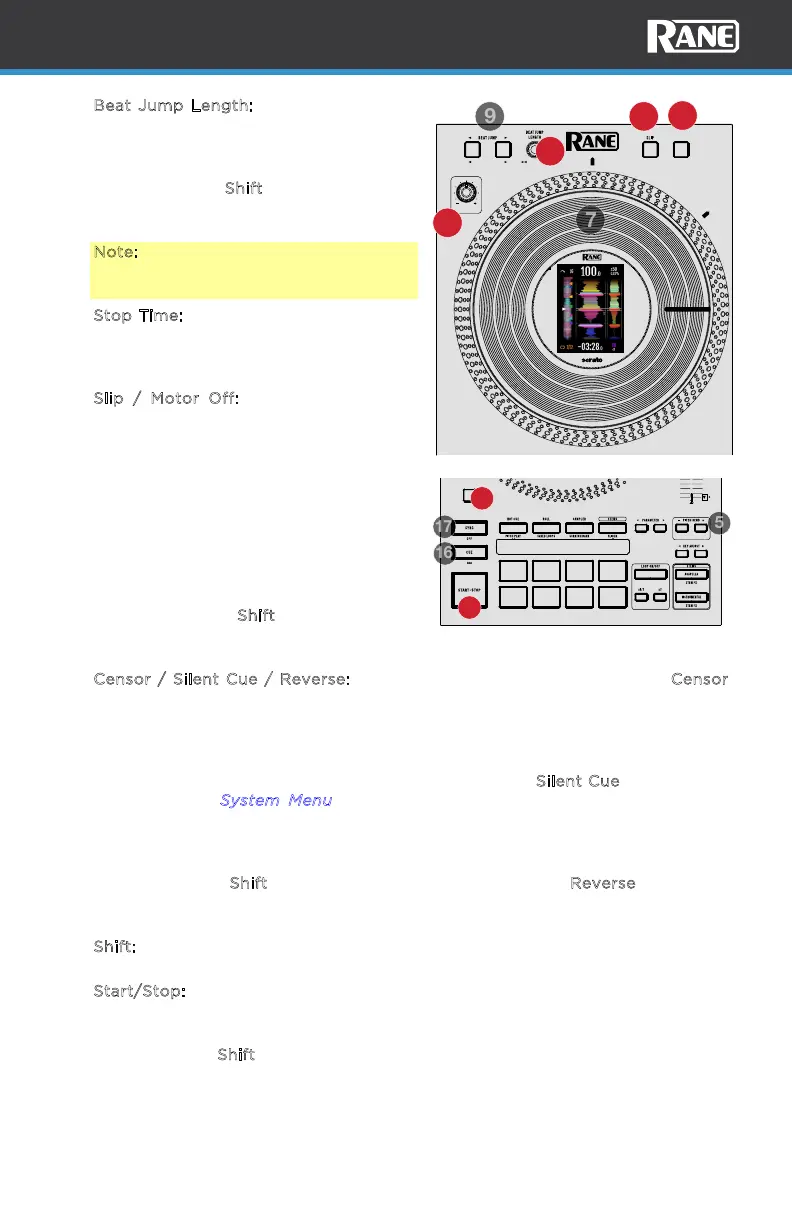
eat Jump Length: Turn to increase or
decrease the beat jump length. Push the
encoder to reset the Beat Jump length
to eight beats.
Press and hold S
hift while turning this
knob to seek/search through the
timeline of the track loaded to the deck.
Note: Sync must be enabled in Serato
DJ Pro to search through the track
timeline.
11. S
top Time: Turn this knob to the left to
lessen the time it takes to stop the
platter. Turn to the right to increase the
time it takes to stop the platter.
12. S
lip / Motor Off: Press this button to
enable or disable Slip mode. In Slip
mode, you can jump to Hot Cue Points,
trigger Loop Rolls, or use the platters
while the track’s timeline continues. In
other words, when you stop the action,
the track will resume normal playback
from where it would have been if you
had never done anything (i.e., as if the
track had been playing forward the
whole time).
Press and hold S
hift and press this
button to activate or deactivate the
motor for the platter.
13. Censor / Silent Cue / Reverse: Press and hold this button to activate Censor,
which temporarily reverses the playback of the track. Release the button to
resume normal playback from where it would have been if you had never
engaged the Censor function (i.e., as if the track had been playing forward the
whole time).
The primary function of this button can be changed to S
ilent Cue in the system
menu. See the S
ystem Menu section for more details. Silent Cue temporarily
mutes the deck audio until a Hot Cue or Pitch Play pad is pressed. This allows
you to play the song from the desired position and unmute the deck with a
single button press.
Press and hold S
hift and press this button to activate Reverse, which will
reverse the playback of the track. Press the button again to resume normal
playback from wherever the audio playhead stops.
14. S
hift: Press and hold this button to access secondary functions when used with
other controls.
15. S
tart/Stop: Press this button to start or stop the platter. The LED will be dim
when no track is loaded, flashing green when a track is paused, and solid green
when a track is playing.
Press and hold S
hift and press this button to perform stutter play if the track is
in the play state.
STOP TIME
CENSOR /
SILENT CUE
SEARCH REVERSEMOTORDISPLAY MODE
10
11
12
13
LOOP IN
33 RPM 45 RPM
LOOP OUT
KEY SYNC
RESET
SHIFT
RELOOP
14
15



 To Next Page