8
16. C
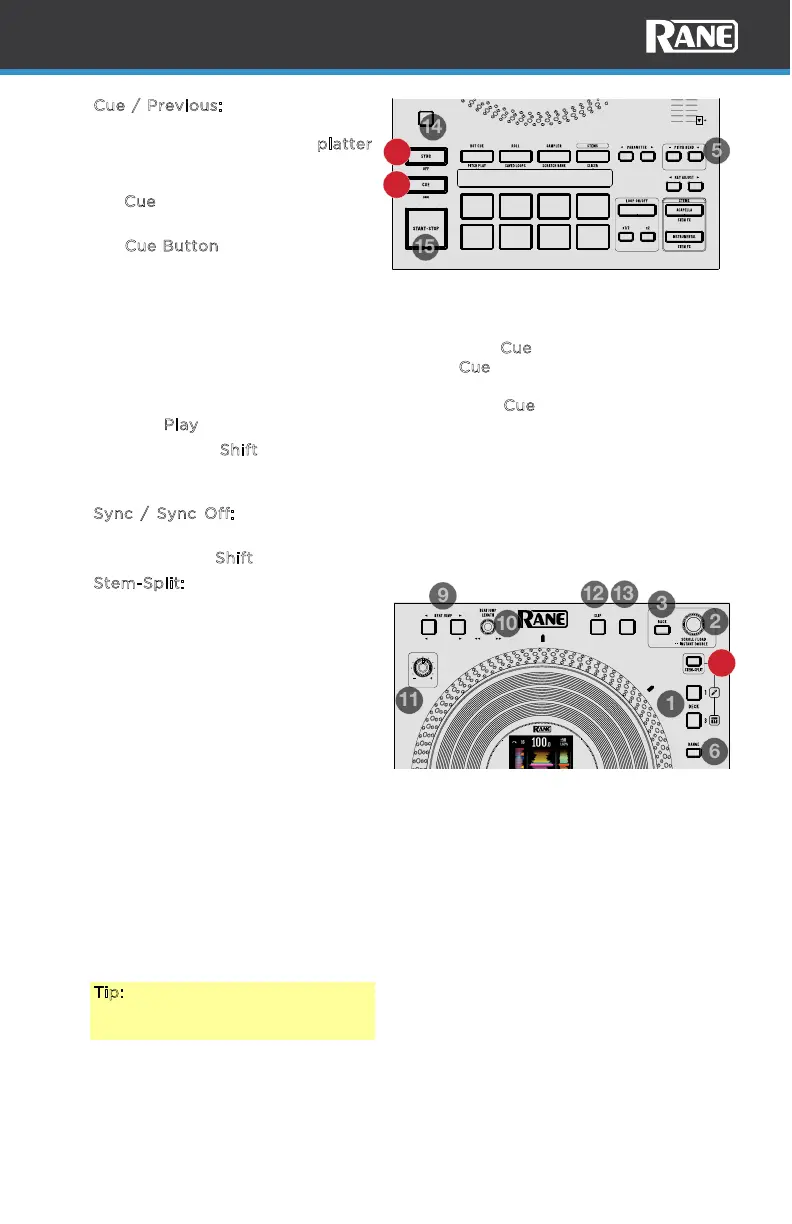
ue / Previous: When the Deck is
paused, you can set a Temporary
Cue Point by moving the p
latter
to place the playhead at the
desired location and then pressing
the C
ue button.
During playback, you can press
the C
ue Button to return the track
to this Temporary Cue Point. (If
you did not set a Temporary Cue
Point, then it will return to the
beginning of the track.)
If the Deck is paused, you can press and hold the C
ue button to play the track
from the Temporary Cue Point. Releasing the C
ue button will return the track to
the Temporary Cue Point and pause it. To continue playback without returning
to the Temporary Cue Point, press and hold the C
ue button, then press and
hold the P
lay button, and then release both buttons.
Press and hold S
hift and press this button to return the track to its beginning.
Pressing this button combination again while at the beginning of the track will
load the previous track in the playlist to the deck.
17. S
ync / Sync Off: Press this button to automatically match the corresponding
Deck’s tempo with the opposite Deck’s tempo.
Press and hold S
hift and press this button to deactivate Sync.
18. Stem-Split: Pressing this button
performs the Stem-Split function
within Serato DJ. The track that is
loaded to the deck is instant
doubled to the layers of the
respective side. Decks 1/2 are
always set to the acapella stem
and decks 3/4 are always set to
instrumental stem regardless of
what deck is in focus when the
Stem-Split button is pressed. This
allows you to adjust level, EQ, and
apply eects to the instrumental
or acapella independently. By
default, deck functions are locked
together. To manipulate the stem
elements independently from each
other, press one of the deck
buttons. Press the Stem-Split
button again to sync the stem
elements.
Tip: Ensure the level of your
desired channels are the same
before triggering Stem-Split.
LOOP IN
33 RPM 45 RPM
LOOP OUT
KEY SYNC
RESET
SHIFT
RELOOP
17
16
STOP TIME
CENSOR /
SILENT CUE
SEARCH LOAD PREPREVERSEMOTOR
KEYLOCK
DISPLAY MODE
18



 To Next Page