RAYFace 3. Installation
21
Product Installation
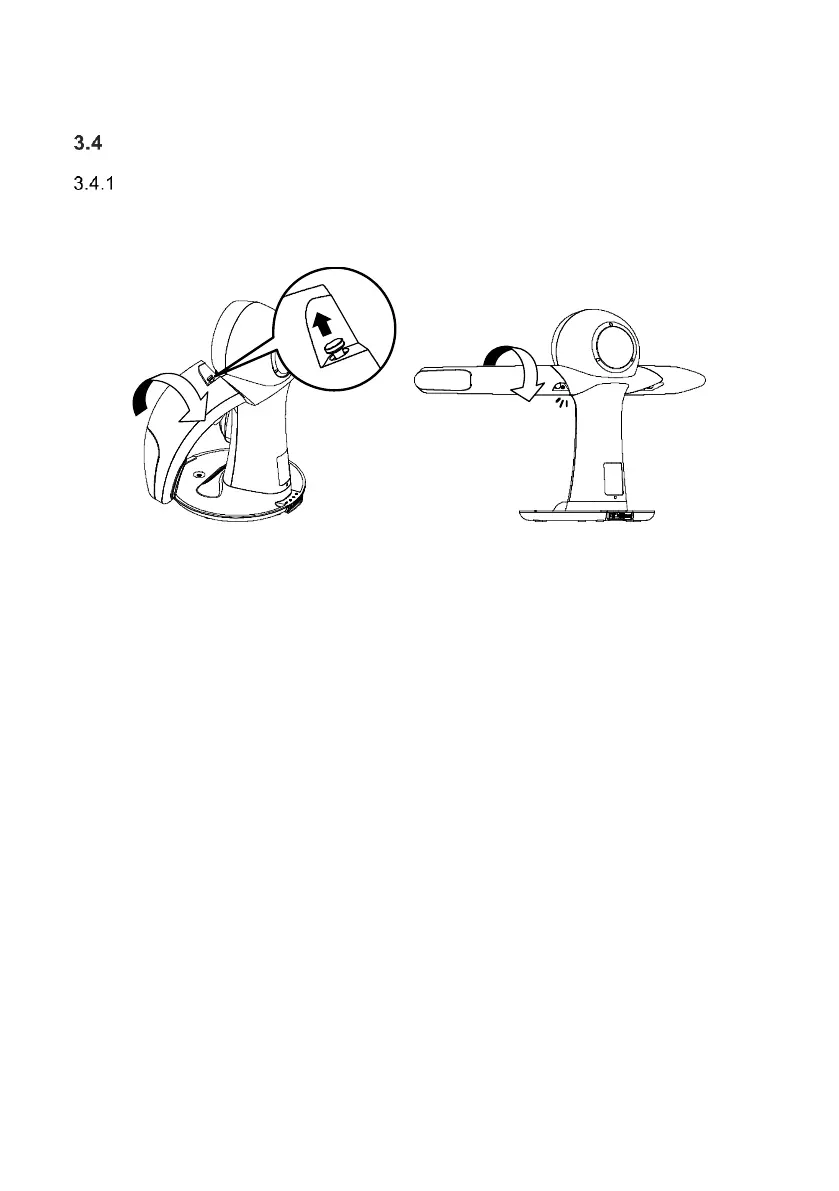
Fix both left and right arms of main body
Take out the main body from the packaging, place it on the table, rotate the arm, and prepare as
shown in the figure below.
While pulling each plunger handle, rotate the left and right arms slowly. When you hear a click, the
arms are locked horizontally.



 To Next Page