RAYFace 3. Installation
28
Software Installation
You can download the RAYFace installation software by accessing https://www.rayteams.com/.
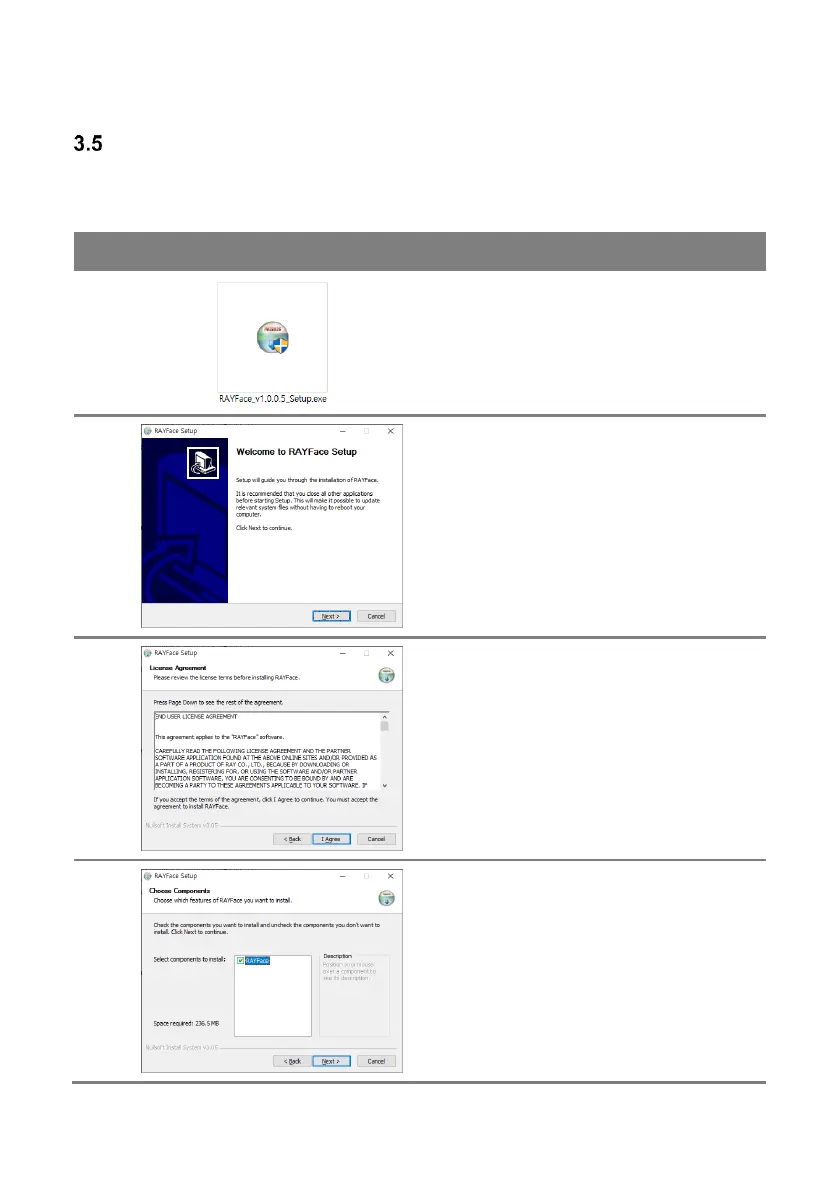
Refer to the guide as shown below to complete the installation.
Install the RAYFace software by running the
installation file. At this time, a warning window
will pop up asking if the user continues the
installation on the user administration account.
Click [Yes] button and continue.
Click [Next] button to continue the installation
process.
Click [I Agree] button when asked about license
agreement. Installation cannot continue if the
user does not agree.
Click [Next] button to continue the installation
process.



 To Next Page