EasyManua.ls Logo

ray FACE - Deleted Data Management

ray FACE
91 pages
Print Icon
To Next Page IconTo Next Page
To Previous Page IconTo Previous Page
Loading...
RAYFace 4. Operating Software
64
Deleted Data Management
No.
Figure
Description
1
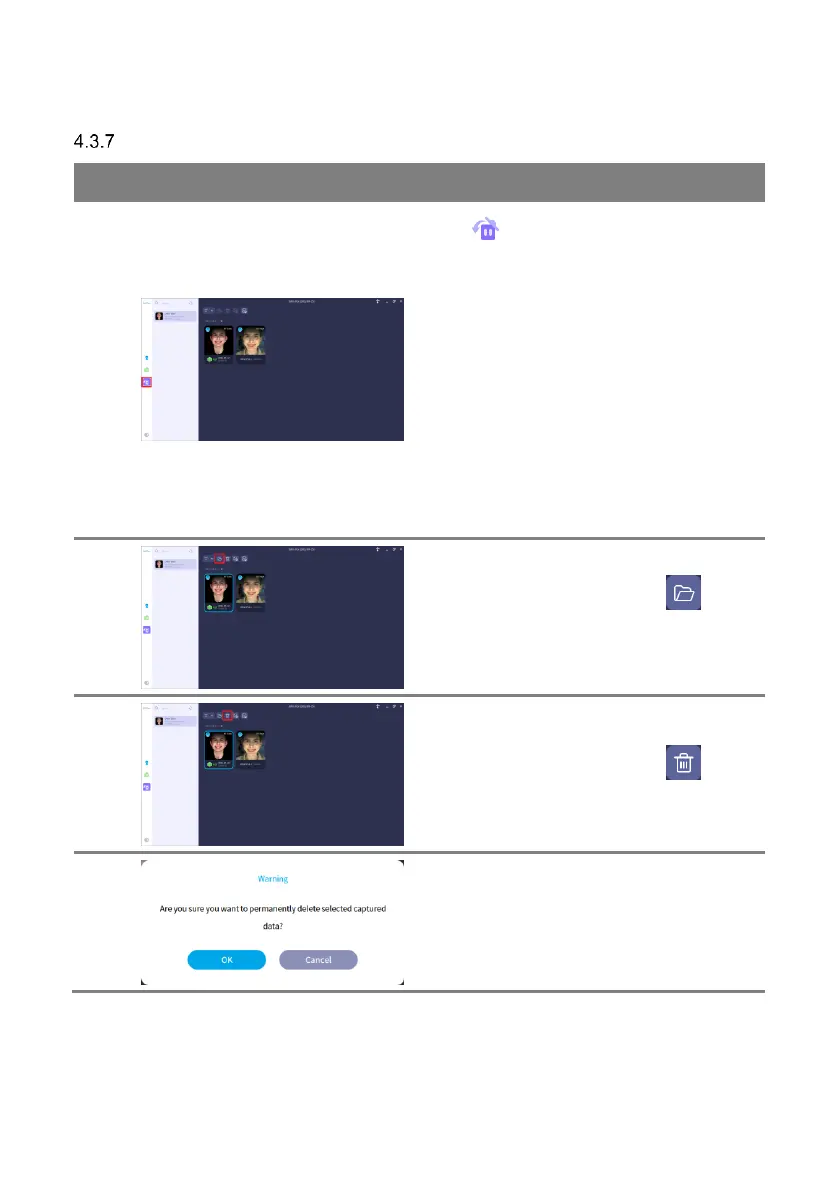
Click [ ] button to move to the recycle bin.
A list of the subjects with deleted data is
displayed and the deleted data of the subject is
displayed.
For deleted data, the remaining period until
permanent deletion is displayed. After the
certain period, the captured data will be
permanently deleted.
Refer to ‘4.4.1.1
General Settings’ for details about capture
options.

2
Select the deleted data and click [ ] button
to open the path where the deleted original
data is stored.
3
Select the deleted data and click [ ] button
for permanent delete.
4
Click [OK] button to proceed with permanent
delete.

Related product manuals