EasyManua.ls Logo

ray FACE - Page 67

ray FACE
91 pages
Print Icon
To Next Page IconTo Next Page
To Previous Page IconTo Previous Page
Loading...
RAYFace 4. Operating Software
67
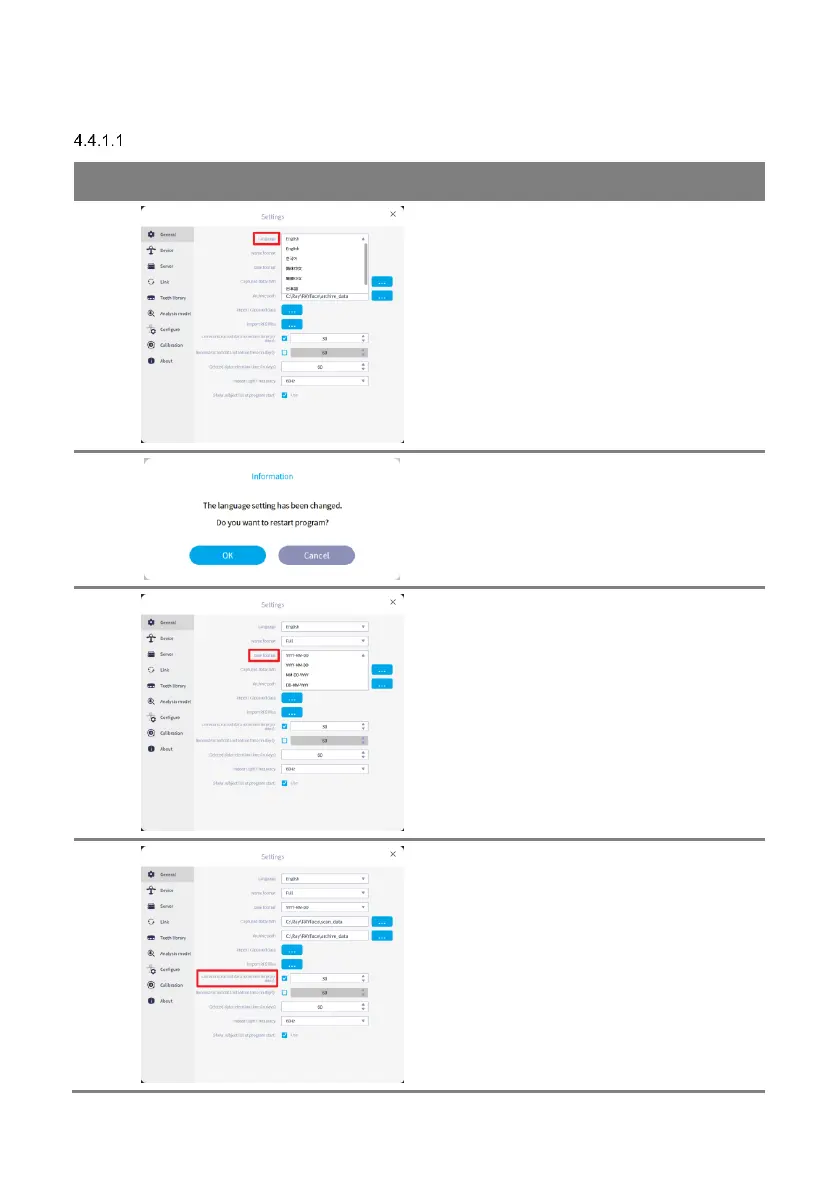
General Settings
No.
Figure
Description
1
Go to [Language] and select your preference in
the list.
2
Confirmation window is displayed for the
change.
Click [OK] and the RAYFace will restart
automatically.
3
Go to [Date Format] and select your preference
in the list.
4
Go to [Unreconstructed data retention time]
and set the retention period of data that has not
been reconstructed into a 3D model among the
captured data.
Data that has not been reconstructed as a 3D
model among the captured data will be
permanently deleted after a specified period to
reduce disk usage.


Related product manuals