RAYFace 4. Operating Software
54
Reconstructed Data Management
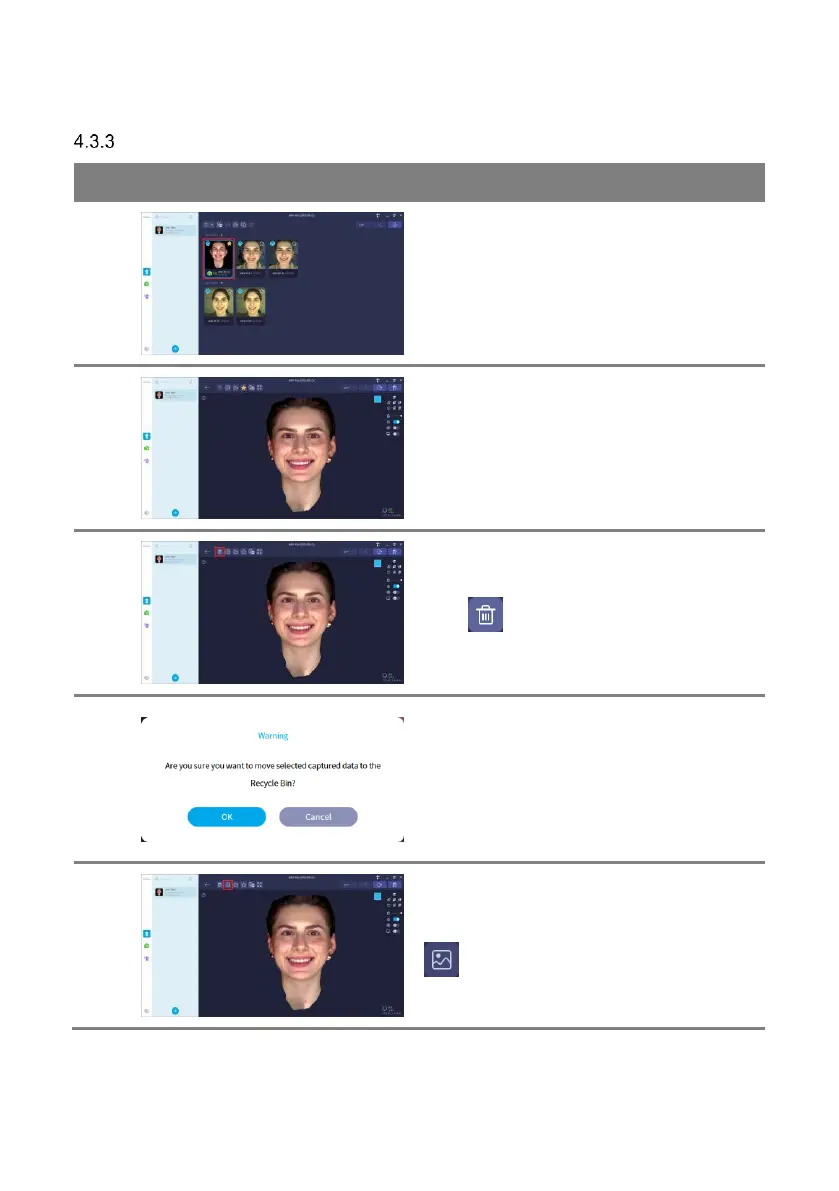
Double-click on a reconstructed data to display
the 3D reconstructed data.
3D reconstructed data is displayed.
Click [ ] button to delete captured data.
Deleted data can be permanently deleted or
restored from recycle bin.
When all the data of the subject is permanently
deleted, the subject is also deleted.
Refer to ‘4.3.7 Deleted Data Management’ for
details about capture options.
You can check the scanned image by clicking [
] button.



 To Next Page