RAYFace 4. Operating Software
43
Capture
You can capture a subject and set up the options.
Capture
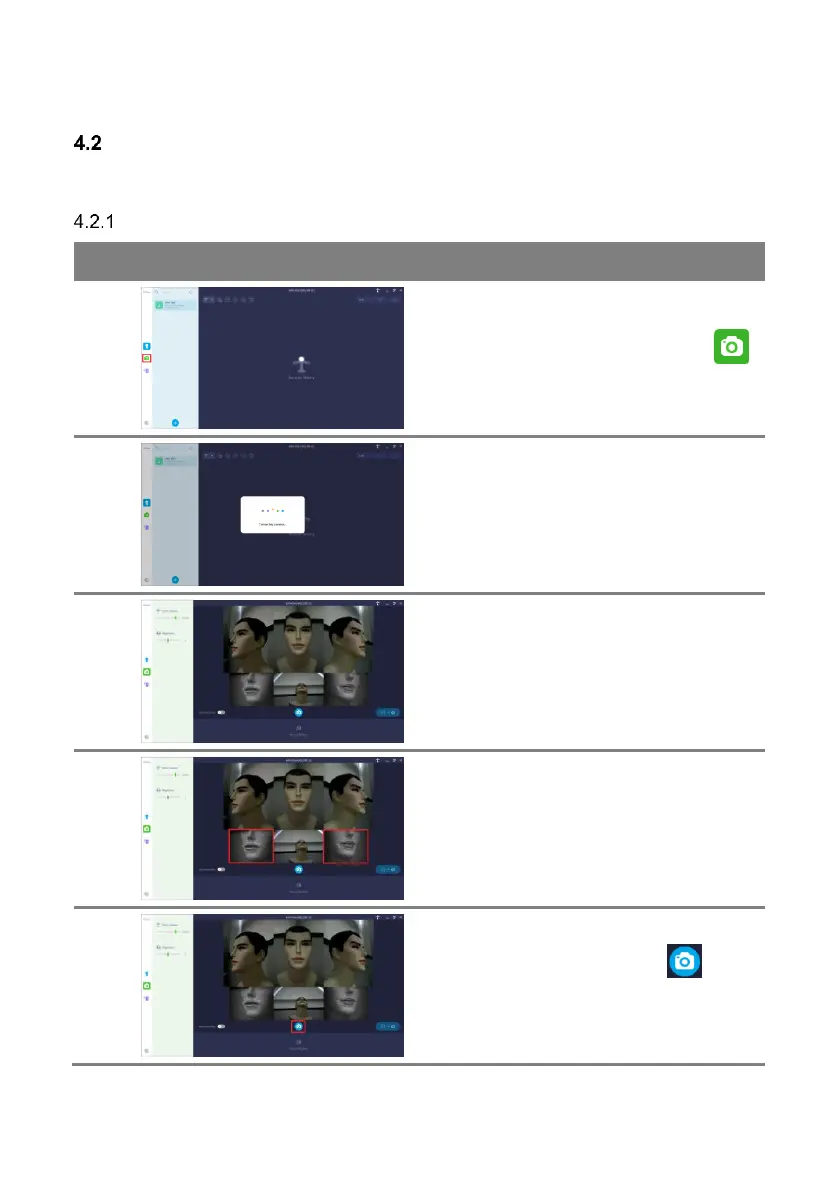
Select a subject to capture and click [ ]
button.
When the scanner is ready, the lights will be
turned on and live view is displayed.
Adjust the subject’s position.
Keep your head straight and look at the top of
the front camera. Adjust the position of the
mouth so that it is centered on the camera at
the bottom left and right.
After adjusting the subject’s position and
setting the capture options, press [ ] button
to capture.
Refer to ‘4.2.2 Capture Options’ for details
about capture options.



 To Next Page