RAYFace 4. Operating Software
44
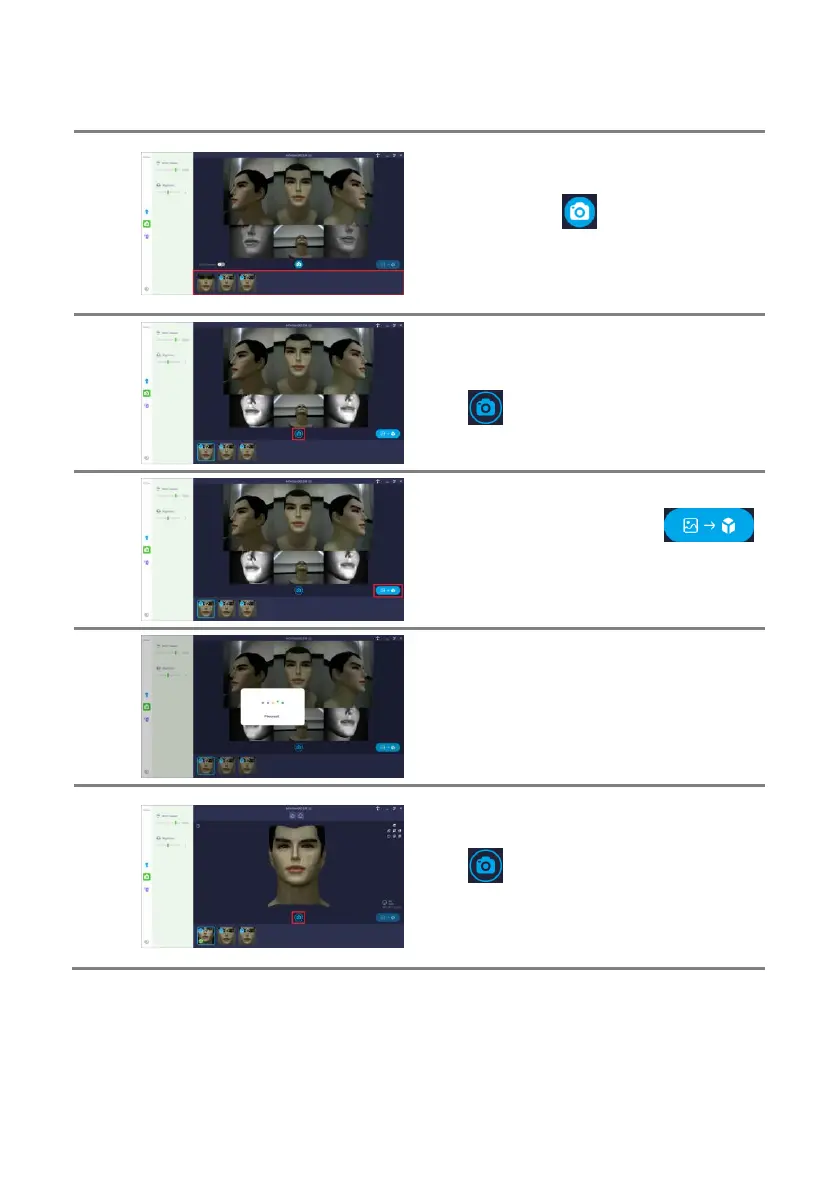
Capture until the subject’s natural expression is
captured.
After clicking the [ ] button, the scanner
captures and transfers the date to the PC. The
capture lists and transfer status are displayed
at the bottom.
When you select a capture list, the selected
capture data is displayed.
Click [ ] button to return to the live view for
more captures.
Select the capure data and press [
] button to reconstruct the captured data into a
3D model.
Wait for the reconstruction to complete.
The waiting time depends on your PC
specifications.
When reconstruction is complete, the 3D
model is displayed.
Click [ ] button to return to the live view for
more captures.
Double-click the reconstructed data in the
capture list to display the 3D model.



 To Next Page