RAYFace 3. Installation
32
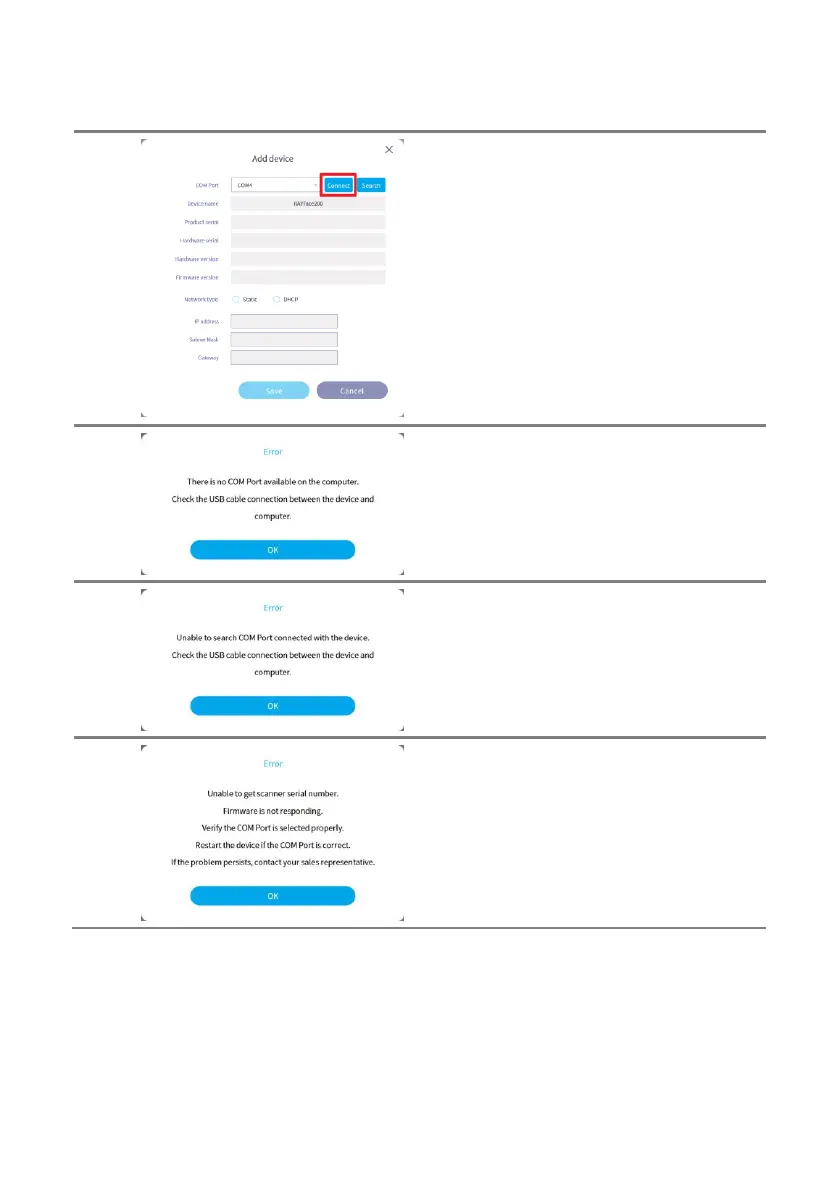
In the [Add device] window, select the COM
port connected to the scanner and click the
[Connect] button.
If your PC has multiple COM ports, click the
[Search] button to find the COM port connected
to the scanner.
If there is no COM port connected to the PC,
the message will be displayed.
If the PC does not have a COM port connected
to the scanner, the message will be displayed.
If you select a COM port that is not connected
to the scanner and click the [Connect] button,
the message will be displayed.



 To Next Page