RAYFace 3. Installation
35
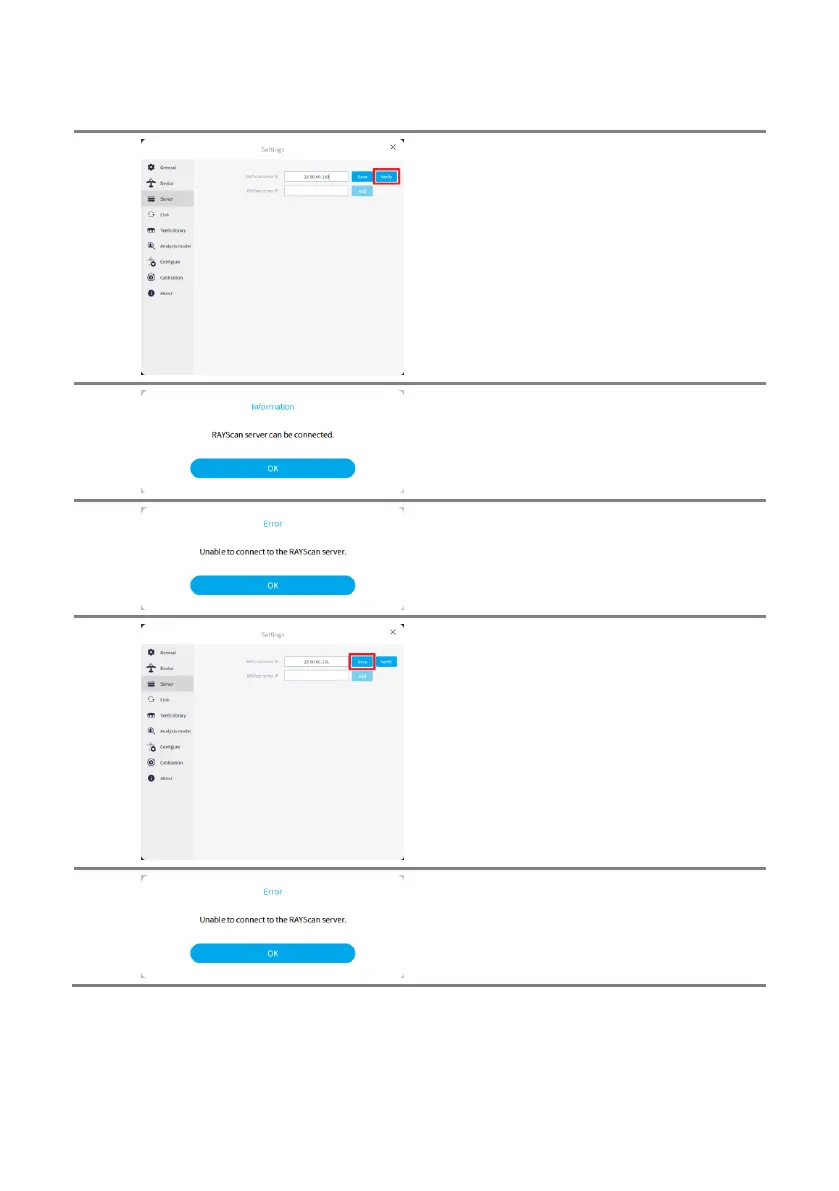
Once the RAYScan server IP address has been
entered, click on [Verify] button to confirm if
the server is able to connect.
When RAYScan server is able to connect with
the inserted information, the pop up window as
shown on the left will appear.
When RAYScan server is not able to connect
with the inserted information, the pop up
window as shown on the left will apper.
Enter the RAYScan server IP address and
press the [Save] button to store the IP address.
When the faulty IP address has been entered
the pop up window as shown on the left will
appear.



 To Next Page