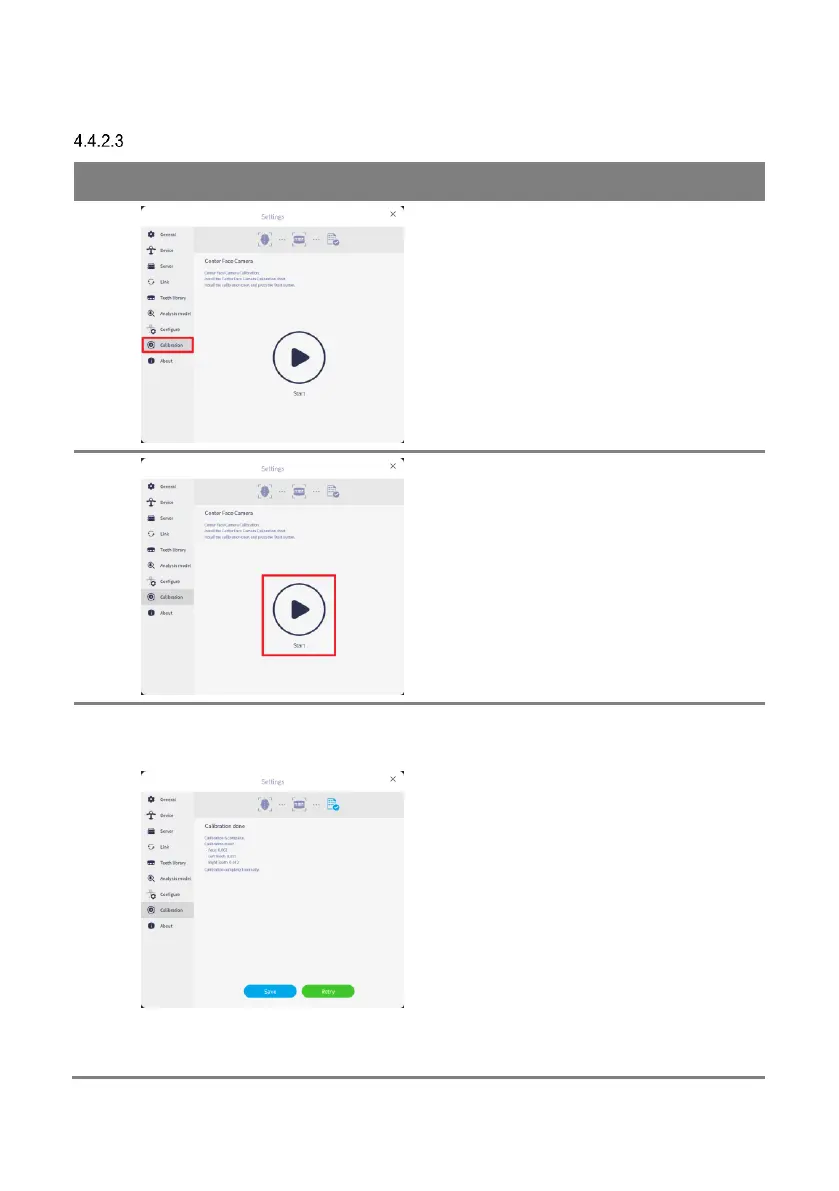
Go to [Calibration] menu.
After installing the calibration target, connect
the USB A type port on the back of the scanner
body and the USB B type port on the calibration
kit.
When calibration target scanning is finished,
calibration is automatically calculated.
When all the calibration values are within the
reference value (0.1), the calibration result is
automatically saved in the device.
If the calibration value is out of the reference
value, the calibration result is not automatically
saved in the device. In this case, proceed with
calibration again after confirming that the
calibration target is installed correctly, that
there is no damage to the calibration target,
that the pattern of the calibration target is all
within the camera’s field of view, and that there
is no strong ambient light around the cameras.



 To Next Page