Wuhan Raycus Fiber Laser Technologies Co., Ltd.
User Guide of RFL-C3000XZ~RFL-C12000XZ
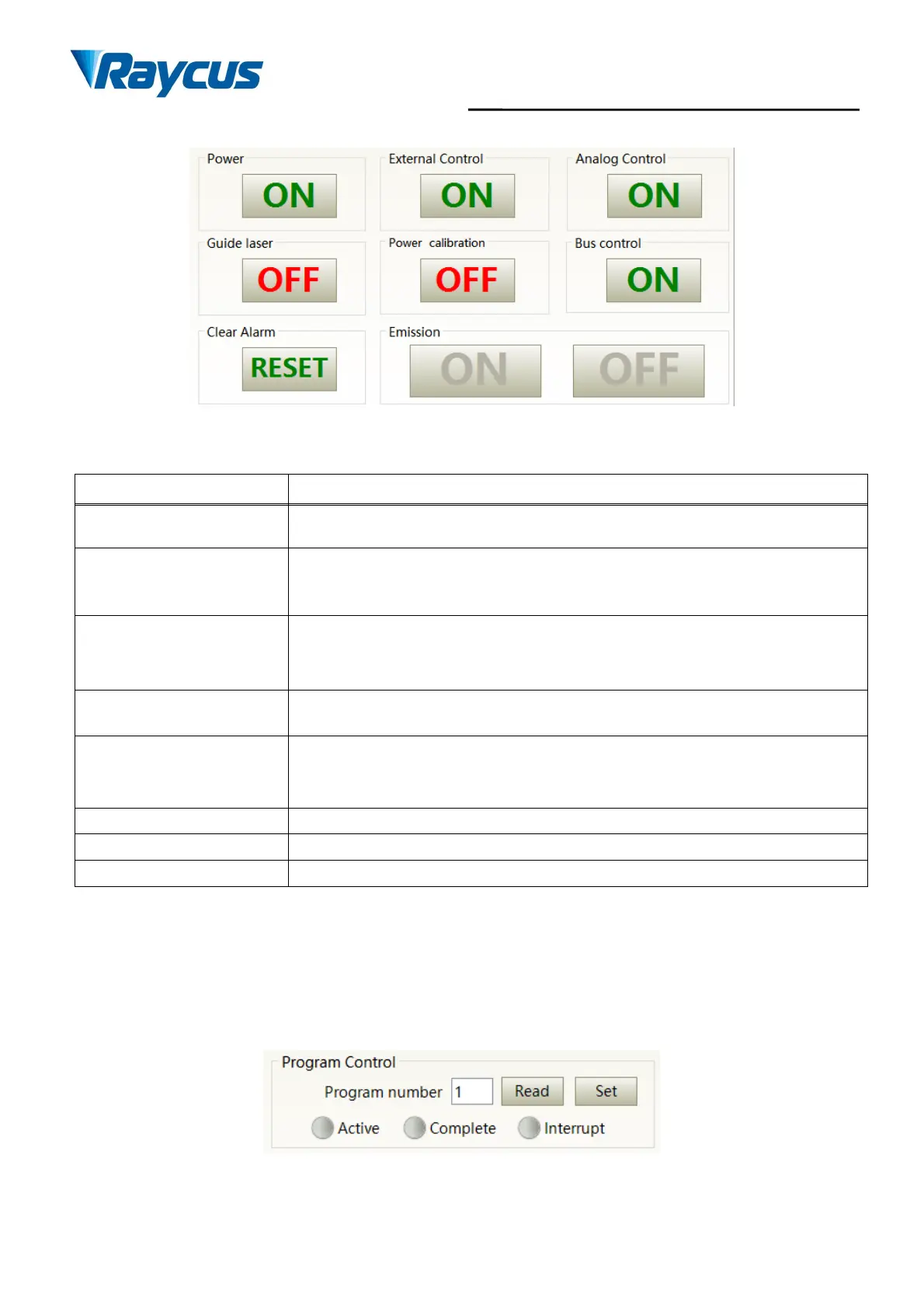
Figure 41 Laserpower-on, mode selection, laseremission controldisplayarea
Table 14 Laserpower-on, mode selection, laseremission controldisplayarea explanation
Click ON, main power on
Click OFF, main power off
Click ON, activate laser external control
Click OFF, shut laser external control
Mode power-off memory automatically
Click ON, AD analog mode on
Click OFF, AD analog mode off
Mode power-off memory automatically
Click ON, guide laser on
Click OFF, guide laser off
Click ON, activate laser power correction mode
Click OFF, shut laser power correction mode
Mode power-off memory automatically
Eliminate current laser alarm
8.3.4 Programming Mode Test Area
The laser programming mode test area interface is as Figure 42, in which the “Set” button is used to
test the waveform of the programming mode. This function can only run internal mode (when external
mode is turned off). Enter the current pre-tested waveform number in the digital text box and click the “Set”
button.
Figure 42 Laser programming mode testarea display interface



 To Next Page
 Loading...