User Manual
18
Please read Chapter 8 on how to play back your backup file.
5.25 Reset Menu
If you select this item, the system will restore all your settings to factory default values. You
need to enter your password to reset the menu.
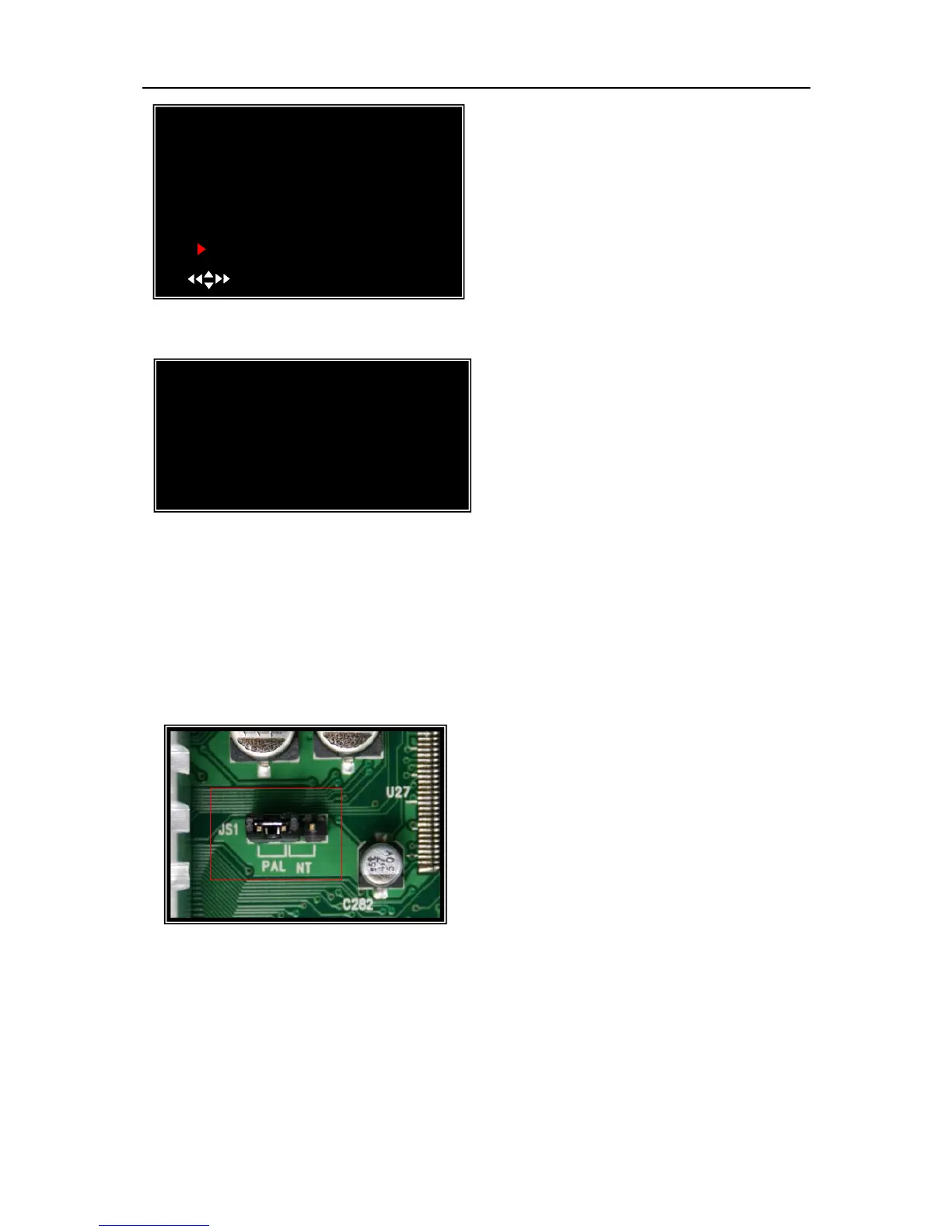
5.26 NTSC/PAL Output select
Change the jumper JS1 to select NTSC or PAL
video output format according to the silkscreen on
the PCB.
Insert your USB memory stick device into
DVR’s USB port.
Move the cursor to “BACKUP TO USB
DEVICE”, press [SEL] button.
DVR will check your USB device as left
picture showed and then start to copy the backup
file.
BACKUP TO USB DEVICE
Check USB devices
(MENU)EXIT
VIDEO BACKUP
VIEW EVENTS
START: 2008/08/22 16:20:22
END: 2008/08/22 16:48:28
SIZE: [197] MB
FILE NAME: [VID000.MCG]
BACKUP TO CD/DVD
BACKUP TO USB DEVICE
( )MOVE (SEL)SELECT (MENU)EXIT



 To Next Page