User Manual
2
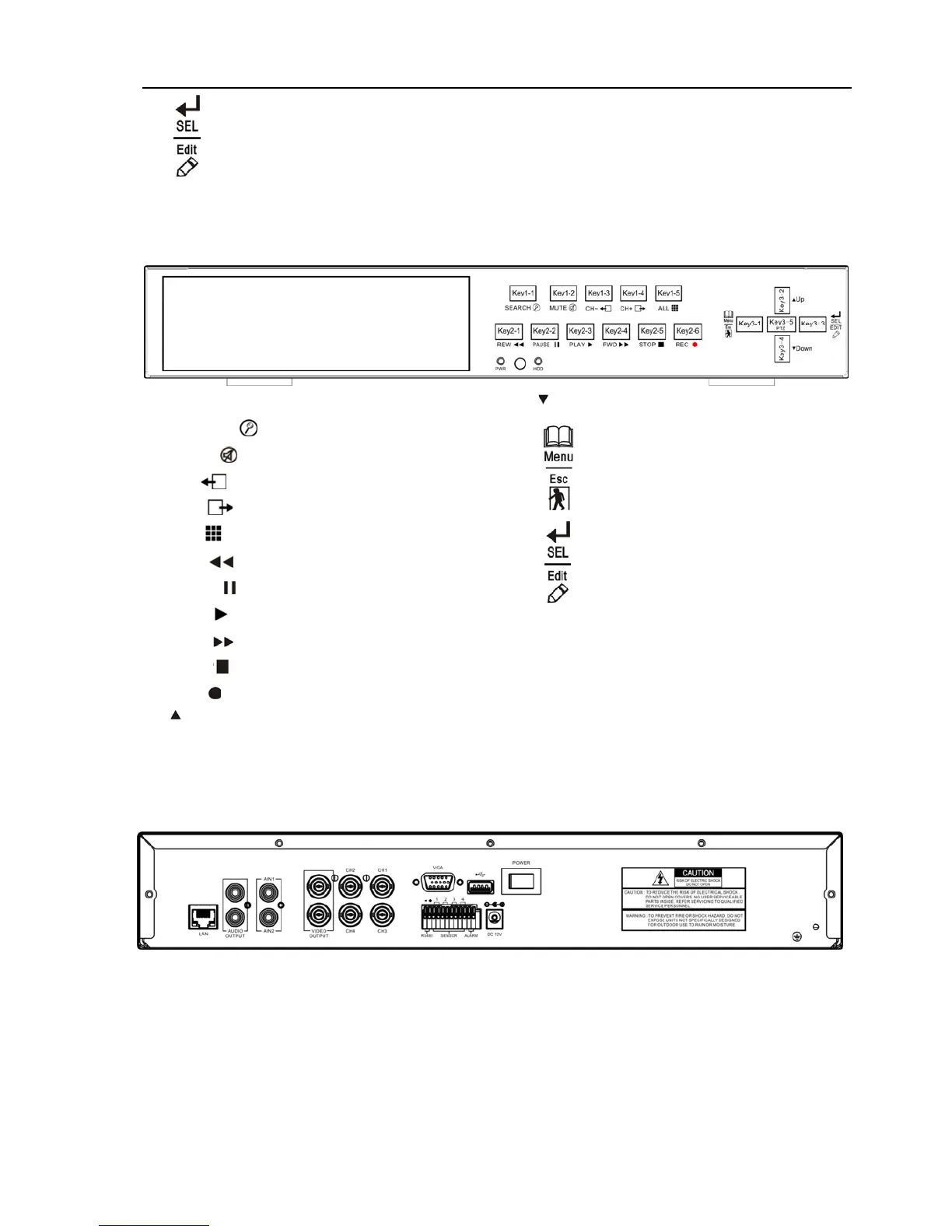
16.
:Select/Edit/Right
17. PTZ:Enter or exit PTZ mode
18. Power LED
19. IR receiver
20. HDD LED
2.1.2 9-ch DVR front panel
1. Circumgyrate Door (optional)
2. SEARCH :
3. MUTE : Turn on/off audio output
4. CH- : View previous channel
5. CH+ : View next channel
6. ALL : View all channels
7. REW : Rewind play/Focus
8. PAUSE : Pause/Auto sequence display
9. PLAY : Play recorded file/Zoom
10. FWD :Forward play/Iris
11. STOP :STOP Record
12. REC : Record
13. :UP
14. :DOWN
15.
: Menu/ESC/Left
16.
:Select/Edit/Right
17. PTZ: Enter or exit PTZ mode
18. Power LED
19. IR receiver
20. HDD LED
2.2
Rear Panel
2.2.1 4-ch DVR real panel



 To Next Page