User Manual
16
LAN-DVR Connection
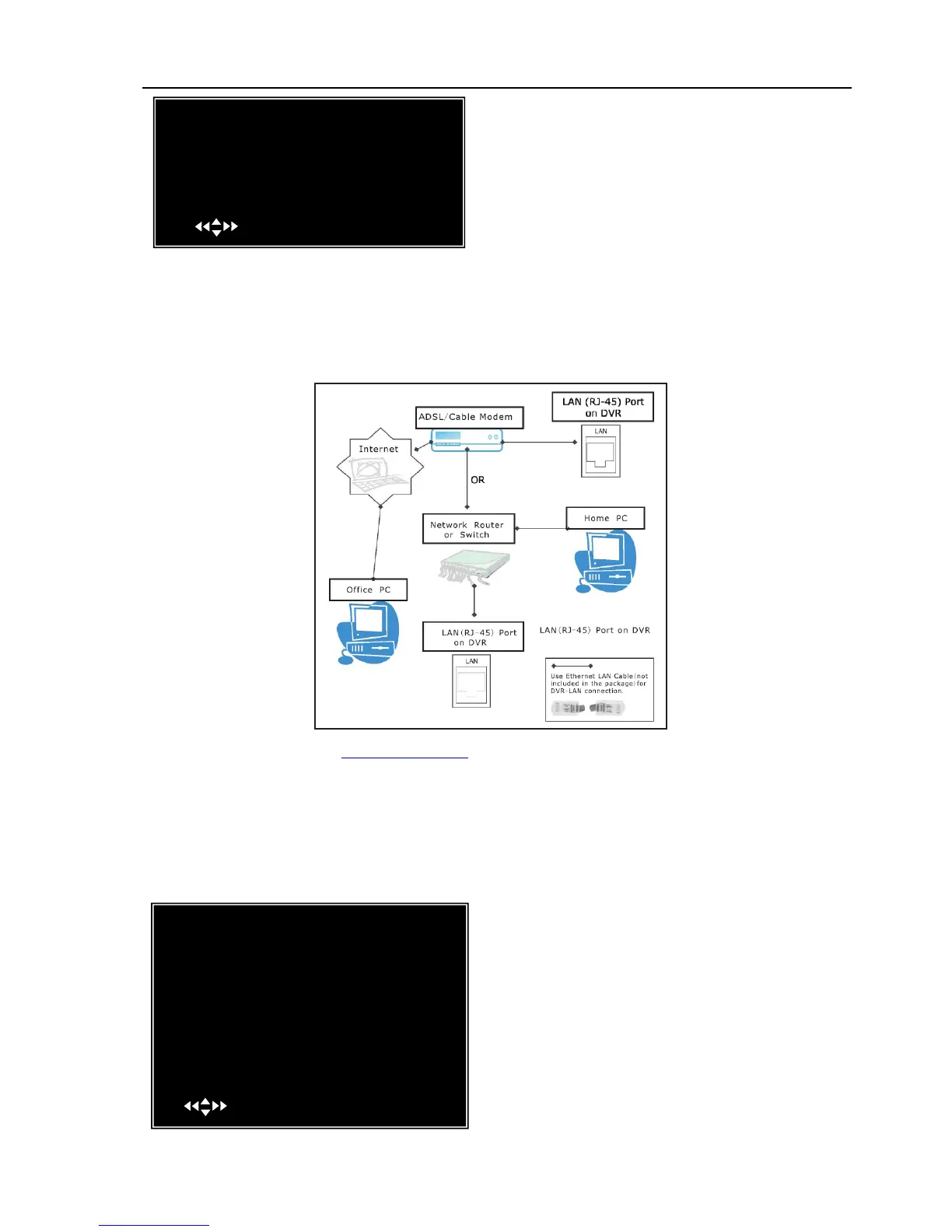
See the diagram below for steps to connect your DVR to a local area network or the internet.
For remote monitoring from your computer,you must have a LAN connection available or
broadband Internet access.
You need to register a www.dyndns.com to get a free account .After registration,you will
have a username and password. You can also register your domain name on the website. Please
refer to Chapter 5 “Network Setup” for more details. There you will learn how to input the
Dyndns username,password,and domain name. You can log in from anywhere by using Internet
Explorer and entering your DVR’s domain name.
5.23 Language
You can change the OSD language from the
default English to other languages, if your DVR
supports multi-languages.
DDNS SETUP:If you require an external
service to maintain a dynamic IP address enter
the user information here.
[WWW.DynDNS.com ]
[ ]
[ ]
MAIN MENU
CAMERA SETUP
RECORD SETUP
RECORD FRAMERATE
VIDEO QUALITY NORMAL
RECORD SCHEDULE
SENSOR SETUP
HARD DRIVE SETUP
MISCELLANEOUS SETUP
NETWORK SETUP
LANGUAGE ENGLISH
VIDEO BACKUP
RESET MENU
( )MOVE (SEL)SELECT (MENU)EXIT
[111111]
[ ]
DDNS SETUP
DDNS PROVIDER
DDNS USER NAME
DDNS PASSWORD
DOMAIN NAME
( )MOVE (SEL)SELECT (MENU)EXIT
[WWW.DynDNS.com ]
[ ]
[ ]



 To Next Page