EasyManua.ls Logo

Raysharp D6004 - DVR USB Software and Programming; Driver Installation Guide; PC Viewer Interface Explained

Default Icon
30 pages
Print Icon
To Next Page IconTo Next Page
To Previous Page IconTo Previous Page
Loading...
User Manual
21
Chapter 8: USB Progamming
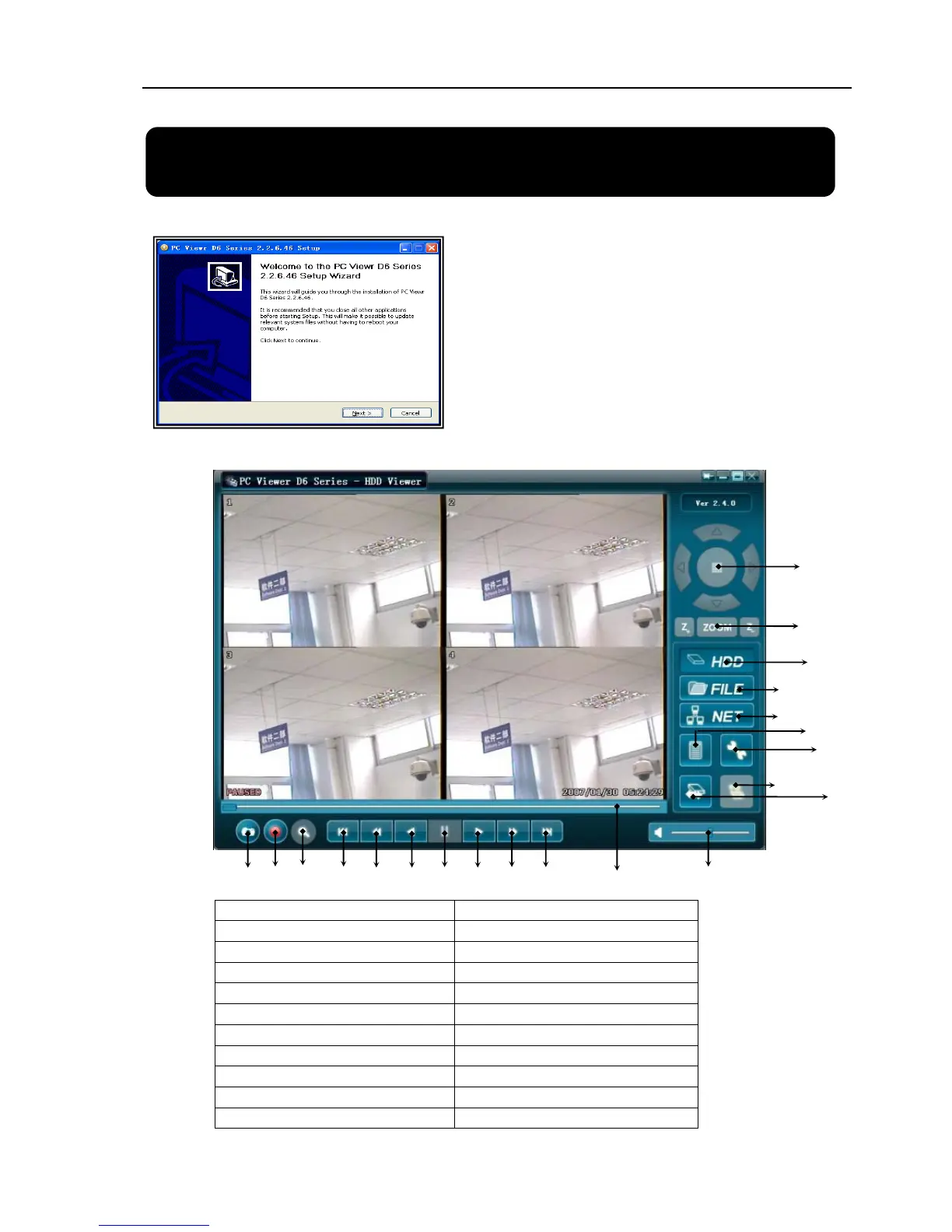
8.1 Driver Installation
8.2 Program Interface – Button Functions
1.PTZ Control 12.
T
ime Search
2.Zoo
inZoom Out 13. Jum
p
back 60s
3.HDD Pla
y
Mode 14. Jum
p
back 10s
4.File Pla
y
Mode 15. Reverse
p
la
y
back
5.Net Pla
y
Mode 16. Pause
6.Event List 17. forward
p
la
y
back
7.Chan
g
e DVR settin
g
s 18. Jum
p
forward 10s
8.Remote DVR Control 19. Jum
p
forward 60s
9.Chan
g
e Stora
g
e Device 20.Pla
y
back Slide
r
10.Ca
p
ture Ima
g
e 21.Audio Slide
r
11. Convert Streams to AVI file
(1) Insert driver CD into your CD-ROM Drive.
(2) Open CD directory.
(3) Double click on the install applications.
(4) Run “Install” program.
(5) Follow the setup wizard to finish the
installation.
19
9
8
7
6
5
4
3
2
1
18
10 11 12 13
14 15
16
2
0
21
17